How to chain API requests and pass a token from one to the next

Almost every API test needs the same thing first: log in, get a token, and use that token for everything else. Then create an order, take its ID from the response, and use that ID to fetch, update and cancel it. This is called request chaining, and it takes two lines of script.
The pattern
- A Login request at the top of the collection.
- A post-response script on it that stores the token.
- Every other request uses
{{token}}.
Step 1: The login request
POST {{baseUrl}}/auth/login
Content-Type: application/json

{
  "email": "{{email}}",
  "password": "{{password}}"
}
Keep email and password in the environment, with the password as a secret variable.
Step 2: Store the token
In the request's Scripts tab, add a post-response script:
pm.test('logged in', () => {
  pm.expect(pm.response.code).to.equal(200);
});

pm.environment.set('token', pm.response.json().access_token);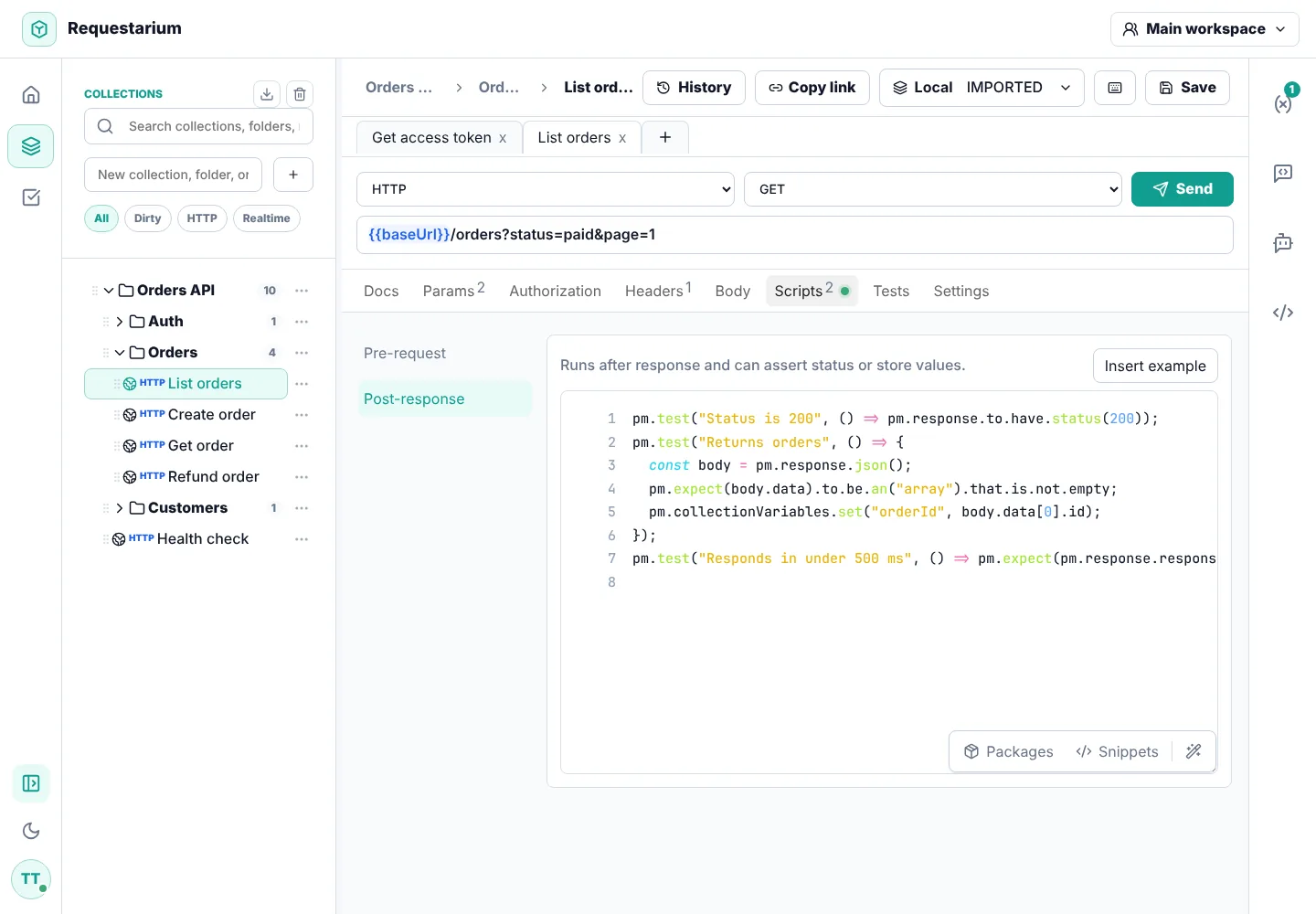
Step 3: Use it everywhere
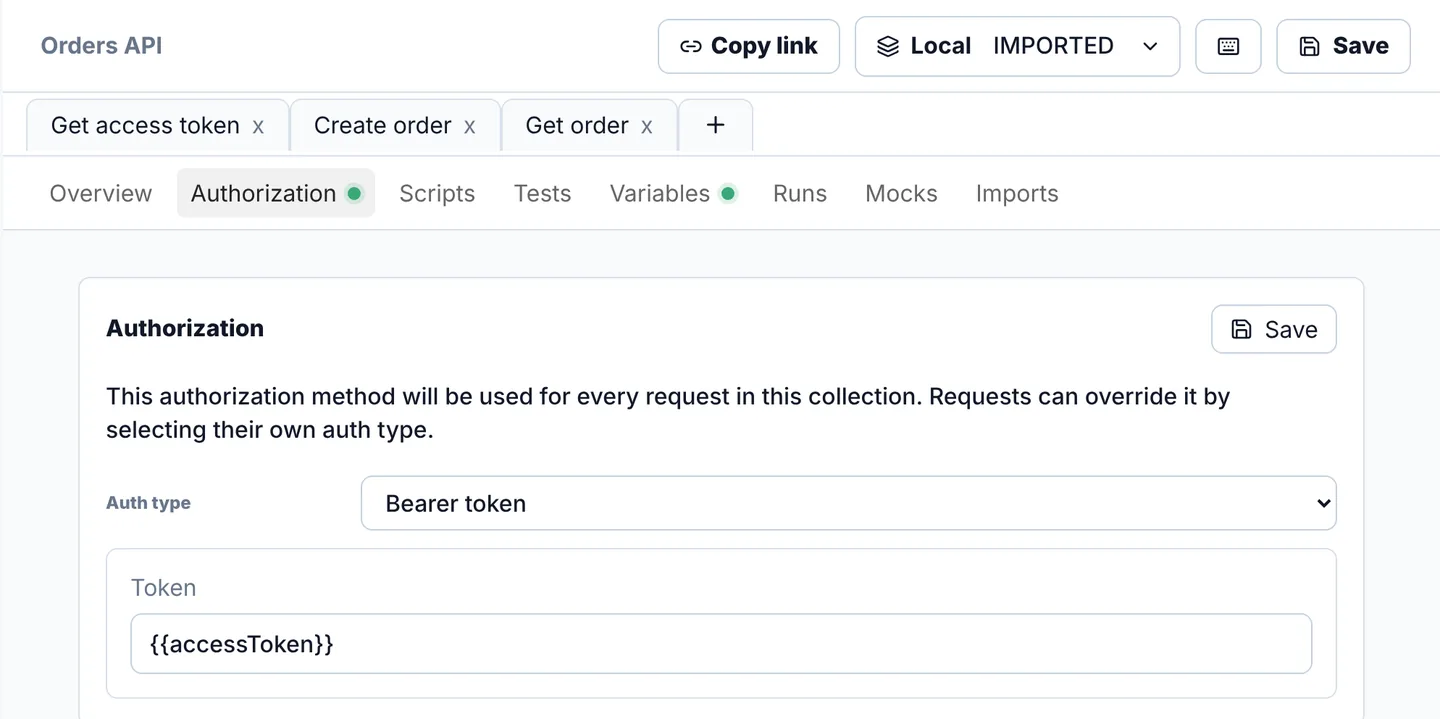
Rather than adding an Authorization header to every request, set auth once on the collection: open the collection's Authorization tab, choose Bearer token and enter {{token}}. Requests and folders set to Inherit auth (the default) pick it up. A folder can override it for a part of the API that uses a different scheme.
Passing IDs between requests
The same idea works for any value:
// Post-response script of "Create order"
const order = pm.response.json();
pm.environment.set('orderId', order.id);GET {{baseUrl}}/orders/{{orderId}}
DELETE {{baseUrl}}/orders/{{orderId}}Order matters: a collection run sends requests in tree order (each folder's subfolders first, then its requests), so put Create order before the requests that use it, or in an earlier folder.
How long do values live?
- In the app, send Login once and the requests you send afterwards can use
{{token}}. The request's Variables panel shows where each value comes from. - In a collection run (the Runs tab or the CLI), values set with
pm.environment.setare passed to the requests after it in the same iteration. They are not written back to the saved environment, and each iteration starts fresh. That's deliberate: two people, or two CI jobs, running the same collection can't overwrite each other's tokens.
In CI
Because the token is fetched by the collection itself, CI only needs the credentials, not a token:
requestarium run-collection "Orders API" --env Staging \
--env-var email=CI_USER_EMAIL --env-var password=CI_USER_PASSWORDSession cookies instead of tokens
If your API logs in with a cookie instead of a token, you don't need a script at all. Cookies set by a response are sent with the later requests that match them, like a browser does. See Cookies and sessions in API testing.
When you'd rather not log in each time
For OAuth 2.0 APIs, the OAuth 2.0 auth mode can fetch and refresh the token for you in the app. See OAuth 2.0 in your API client.