Merge, review and undo collection imports safely

Importing a file into a brand-new collection is safe: if you don't like the result, delete it. Importing into a collection your team already uses is different. A bad merge can overwrite someone's tests, duplicate fifty requests or bring in an old version of an endpoint. This post covers the tools that make imports into shared collections safe: merge rules, previews, history and undo.
Merge instead of duplicate
In the import preview, choose Merge into existing collection. Folders are matched by their path, and requests by folder path and name. For a request that already exists, choose:
- Skip: keep the one you have.
- Overwrite: replace it with the file's version. It keeps its history and share links. If someone edited it in the meantime, the merge stops instead of losing their change.
- Keep both: add the file's request as "Name (2)".
Requests that are already identical are skipped, so importing the same file twice changes nothing.
From the CLI:
requestarium import ./orders.postman_collection.json --into "Orders API" --on-conflict skip --dry-run
requestarium import ./orders.postman_collection.json --into "Orders API" --on-conflict skip
See it before it happens
Every import shows a preview first: a tree of what the file contains, with checkboxes. Before you press Merge, a dry run lists what will be added, updated and skipped. In the CLI, --dry-run prints the same list and --preview lists everything in the file as paths without creating anything.
Only need part of a big file? Untick the rest, or use --select:
requestarium import ./openapi.yaml --into "Platform API" --select "Billing/**"Every import is recorded
The import history keeps every import for 90 days: files, links, buckets, Google Drive, Migrate from Postman, updates from a linked source, the CLI and the IDE extensions. Open it from Collection Overview → Imports for one collection, or Settings → Imports for the whole workspace.
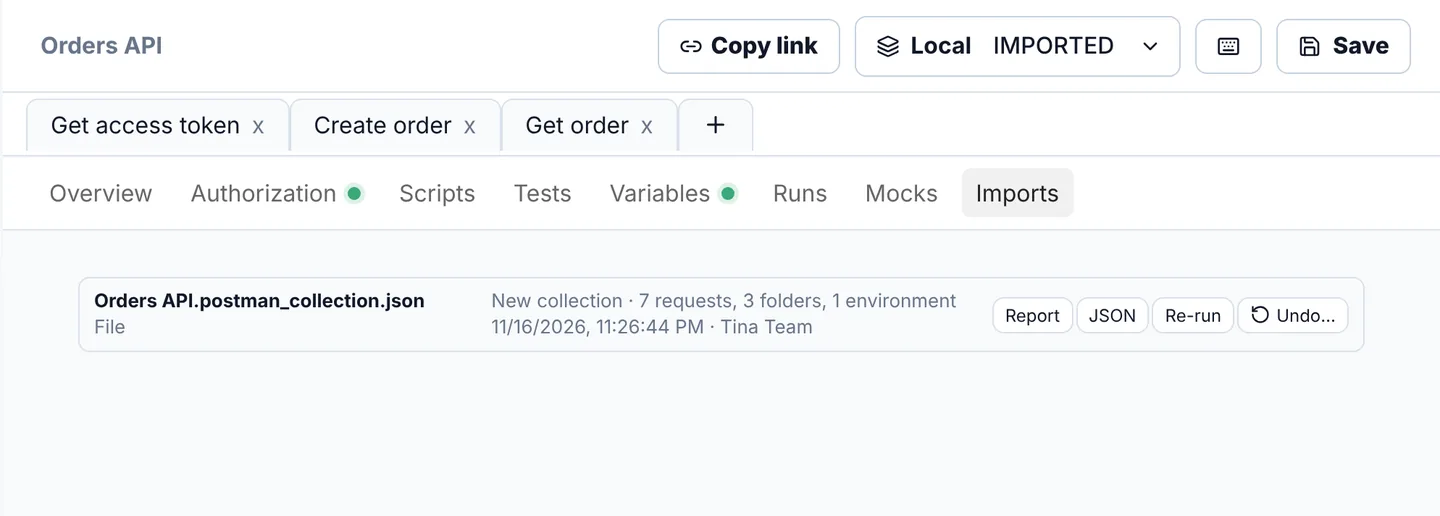
Each entry shows where the import came from, who ran it, what it created or merged, and its warnings. Report downloads the details, including the script migration report.
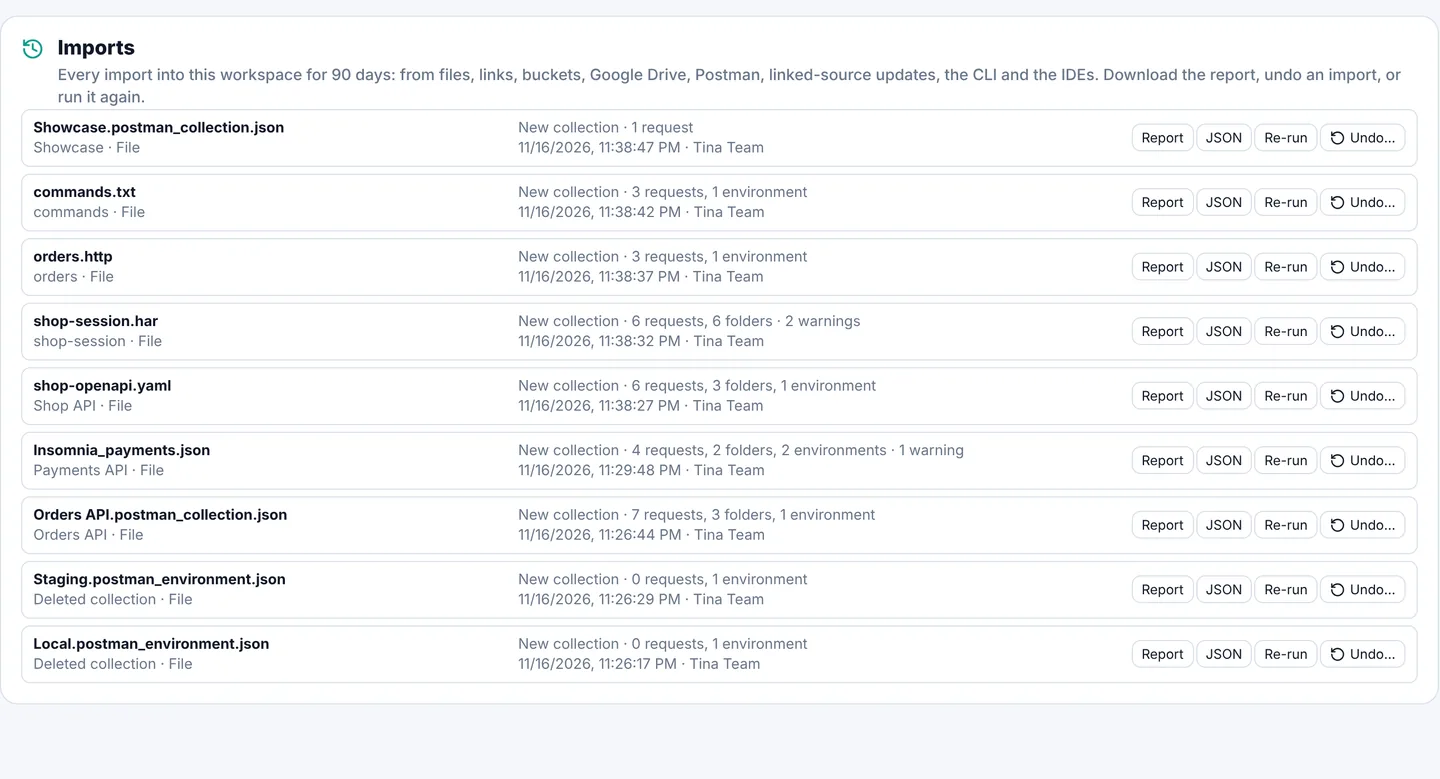
On plans with the audit log, imports also appear in Settings → Audit log under Imports.
Undo
Undo… on an import shows what would change first, then reverts it:
- Items the import created are deleted (they stay in the trash for 30 days).
- Requests it overwrote go back to their earlier version.
- Collection or folder settings it replaced are written back.
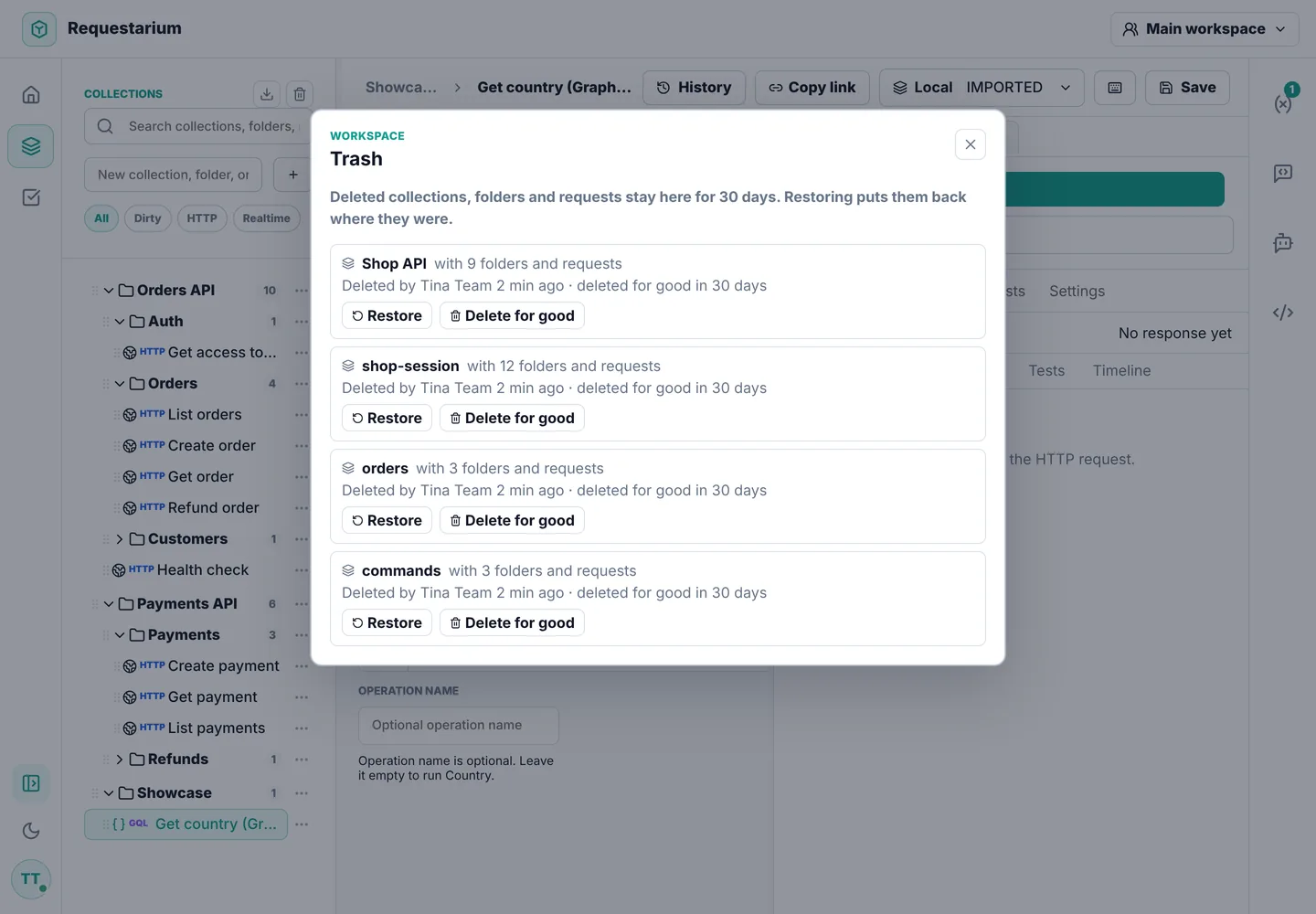
Anything edited since the import is shown as a conflict and left alone unless you tick it, so undoing last week's import doesn't wipe this week's work. Environments created by the import are not removed.
requestarium import history "Orders API"
requestarium import undo <id> --dry-run
requestarium import undo <id>
Re-run
Re-run imports from the same source again with the same choices: what was left out, the target collection, the conflict option and the script mode. It opens the preview, so you can adjust before applying. Links, bucket files and Postman collections are downloaded again.
History limits
Free and Pro show the last 10 imports of a workspace; Team and Enterprise show the full 90-day history.