From OpenAPI spec to a working API collection in five minutes

An OpenAPI document describes every endpoint of an API, but you can't click "send" on a YAML file. The usual workaround is to copy paths and example bodies into an API client by hand, which takes an afternoon and goes stale the next time the spec changes.
Requestarium builds the collection from the spec for you. This post walks through the import, what you get, and how to turn the result into tests.
What you get
Import an OpenAPI 3.0 or 3.1 document, or a Swagger 2.0 one, in JSON or YAML:
- A request per operation, grouped into a folder per tag.
- Path parameters as variables:
/users/{id}becomes{{baseUrl}}/users/{{id}}. - Example bodies, from the spec's examples or generated from the schema. In OpenAPI 3.1,
constvalues are used as examples. - The first server as
{{baseUrl}}, a collection variable. - Auth from the security schemes: bearer (
{{bearerToken}}), API key ({{apiKey}}), basic ({{username}}/{{password}}), and OAuth 2.0 client credentials, authorization code and password flows, with their token URL and scopes. - One environment per server, if you want them:
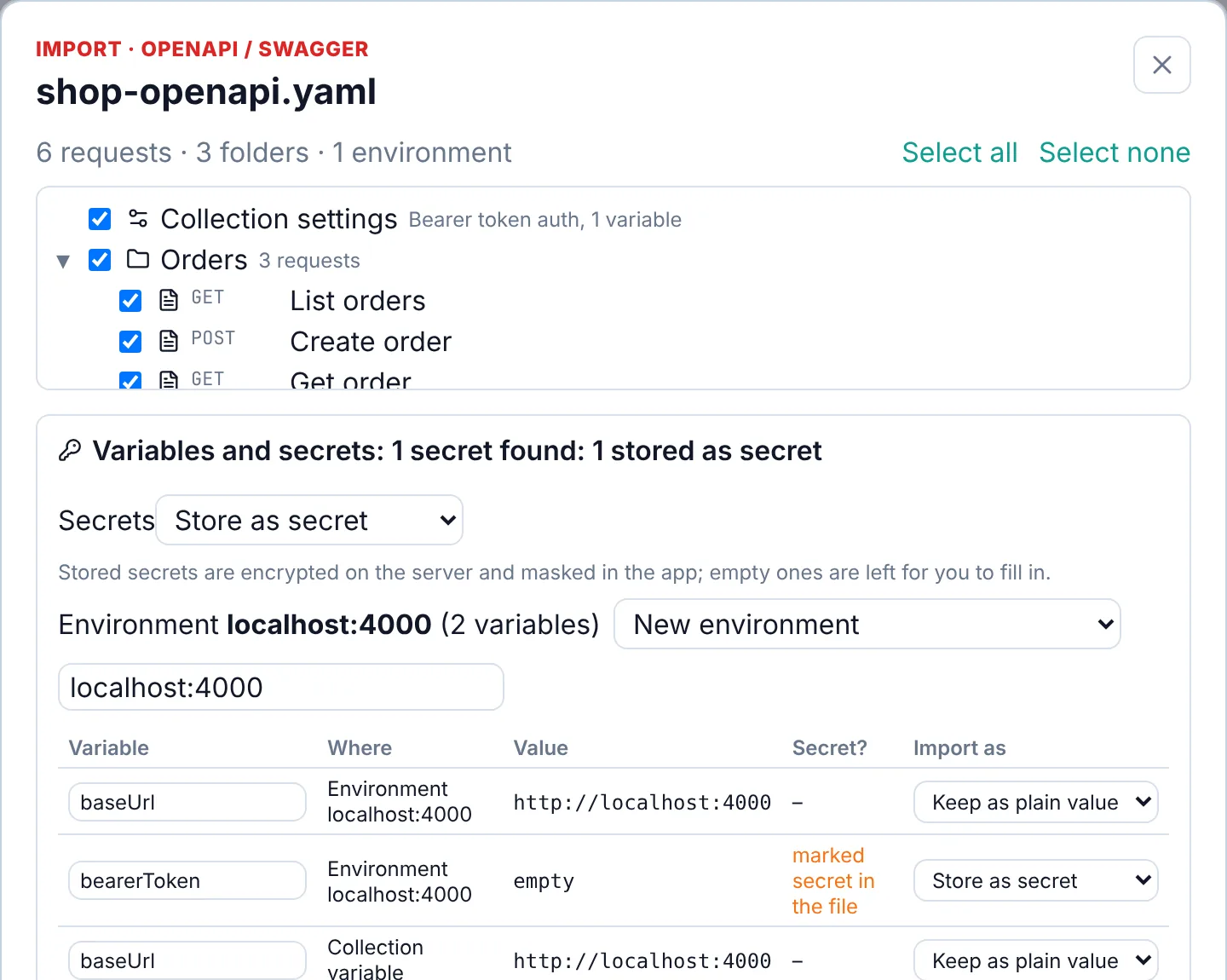
Production,Stagingand so on, each with itsbaseUrl, the server's variables and empty secret variables for the credentials.
Left out, and listed in the preview: implicit-only OAuth 2.0 and OpenID Connect (imported as a bearer token), cookie parameters, file fields, and OpenAPI 3.1 webhooks.
Import from a file or a URL
In the app, use Import → Import file…, or Import from URL and paste the link to the spec, for example https://api.example.com/openapi.yaml. A preview shows the folders, requests and servers before anything is created. Pick which servers become environments.
From a terminal:
npm install -g @requestarium/cli
requestarium login
requestarium import https://api.example.com/openapi.yaml --environments --preview
requestarium import https://api.example.com/openapi.yaml --environments
--preview lists everything as paths and creates nothing. If you only need part of a large API, --select picks folders or requests:
requestarium import ./openapi.yaml --select "Orders/*" --select HealthFill in credentials
The import creates empty secret variables for the credentials the security schemes need. Fill them in once per environment:
requestarium env set Staging bearerToken - --secretReading from standard input (-) keeps the token out of your shell history.
Send your first request
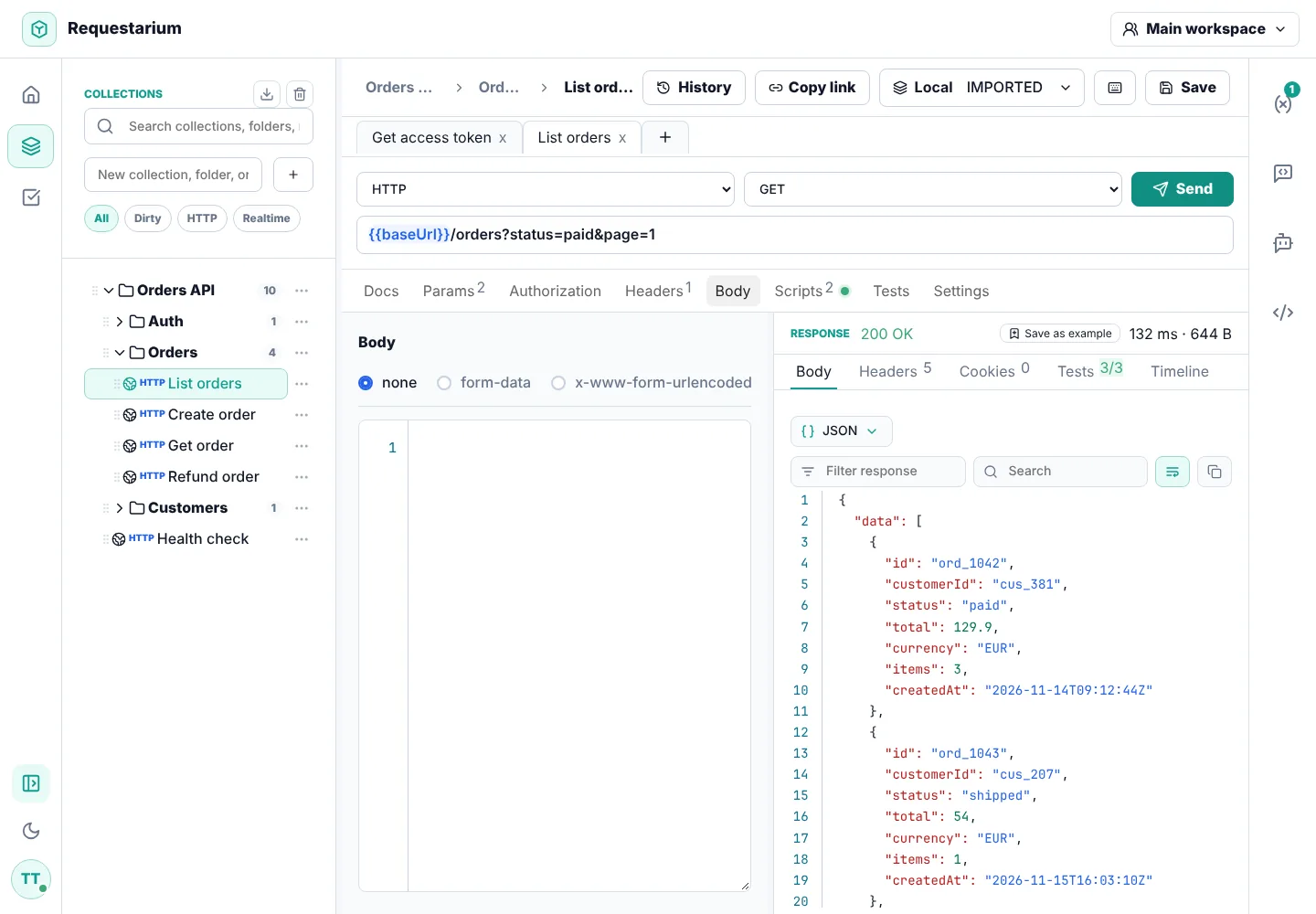
Pick the Staging environment, open any request and click Send. Path parameters show up in the request's Variables panel, marked as missing until you give them a value.
Turn it into tests
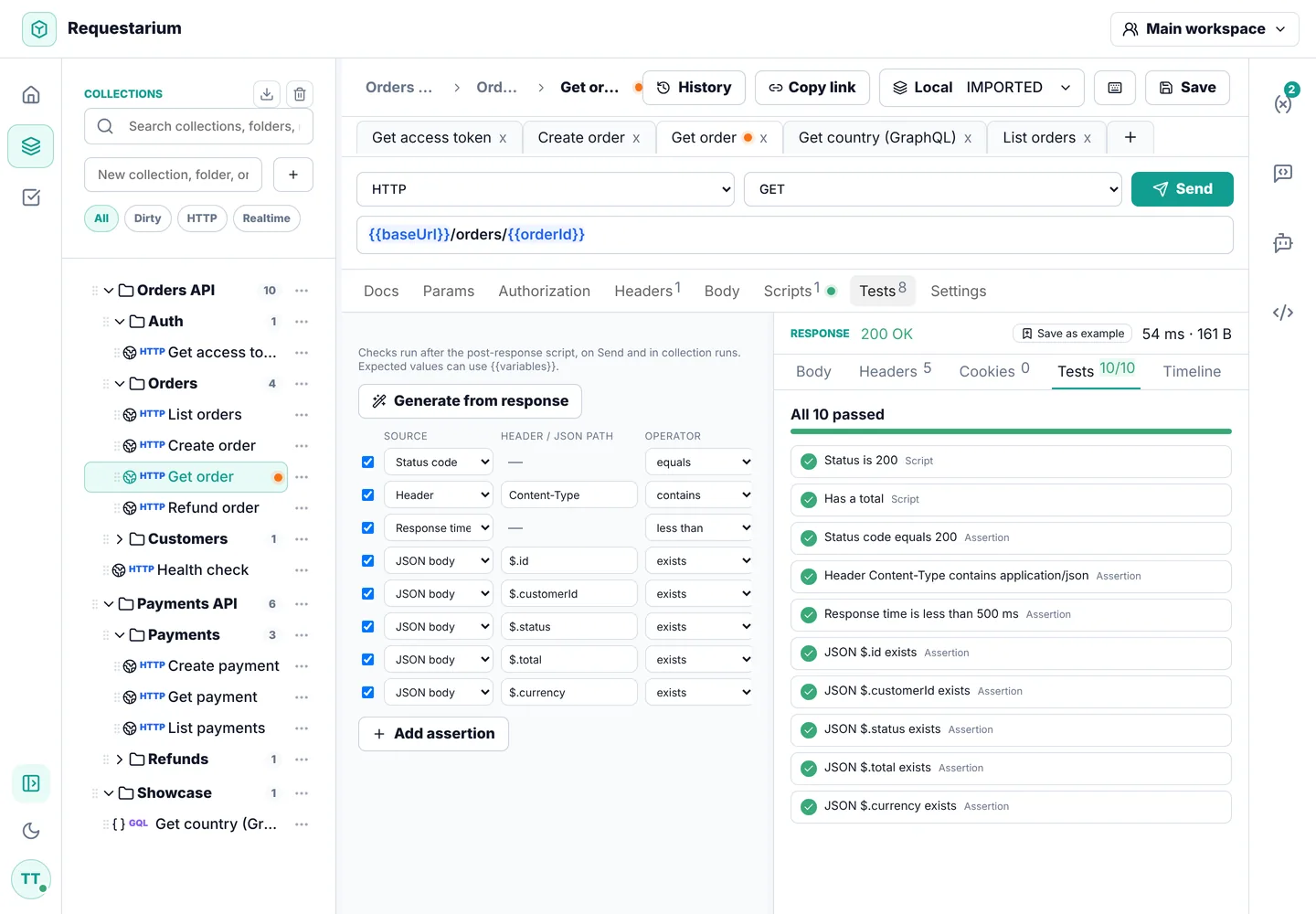
A spec tells you what an endpoint should return. A test checks that it does. Add a check to the requests that matter. The quickest way is the request's Tests tab: send the request, then click Generate from response.
Or write it as a script in the Scripts tab:
pm.test('returns the order', () => {
  pm.expect(pm.response.code).to.equal(200);
  pm.expect(String(pm.response.json().id)).to.equal(pm.variables.get('id'));
});
Or let an AI agent write them for every request: the Requestarium MCP server has an add_tests prompt that sends each request once and writes pm.test checks for status, timing and the body. See Testing APIs with Claude Code and Cursor.
Then run the collection in CI.
Keep it in sync
Specs change. If you import the spec from a URL and leave Keep linked on, the collection can later check the spec for changes and apply them without losing your own edits and tests. The details are in Keep an API collection in sync with its OpenAPI spec.
Export the other way
Requestarium also exports a collection or folder as OpenAPI 3 or Swagger 2, which is a quick way to draft a spec for an API that never had one:
requestarium export "Orders API" --format openapi3 --yaml --out openapi.yamlMore on the import: OpenAPI import.