Import API collections from S3, Google Drive, GitHub or any URL

API collections and specs rarely live on your laptop. They sit in a repository, an S3 bucket the platform team publishes to, a shared Google Drive folder, or an internal docs site. Downloading the file and uploading it again is a small chore that turns into a big one when the file changes every week.
Requestarium imports directly from where the file lives, and can keep checking it for updates.
From any link
Use Import from URL in the Collections sidebar and paste a link. The file is downloaded and previewed before anything is created. Every supported format works: Postman, Insomnia, Bruno (as a zip), Thunder Client, Hoppscotch, OpenAPI, HAR, .http files and curl.
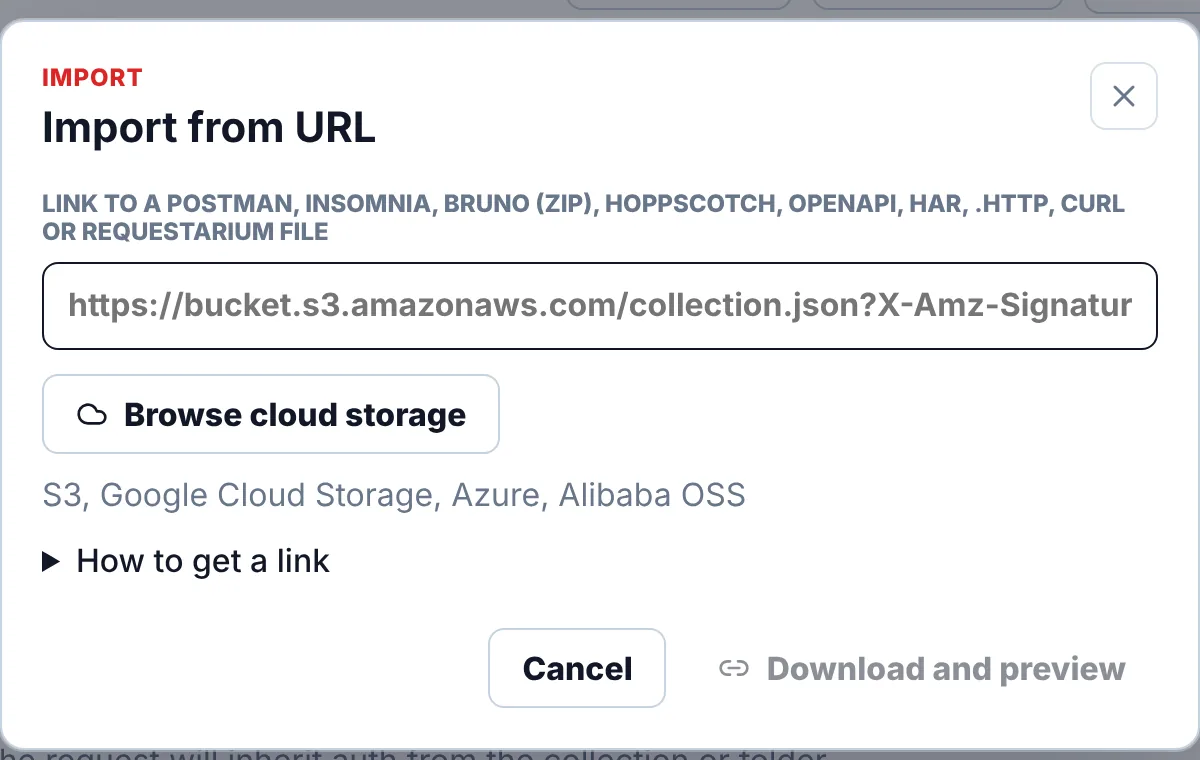
Links that work without giving Requestarium any credentials:
| Where the file is | What to paste |
|---|---|
| GitHub, Dropbox, any website | The file's link. GitHub and Dropbox links are opened as raw downloads |
| Amazon S3 and S3-compatible storage | A presigned URL: aws s3 presign s3://bucket/collection.json --expires-in 3600 |
| Google Cloud Storage | A signed URL: gcloud storage sign-url gs://bucket/collection.json --duration=1h |
| Azure Blob Storage | The blob's SAS URL with Read permission |
| Alibaba Cloud OSS | A signed URL: ossutil sign oss://bucket/collection.json --timeout 3600 |
| Google Drive | A share link set to "Anyone with the link" |
Signed links are treated as secrets: errors show them without their signature, and they're stored encrypted only if you keep the collection linked.
From the CLI, pass the URL as the file:
requestarium import https://raw.githubusercontent.com/acme/api/main/openapi.yaml --linkFrom Google Drive, privately
Import from URL → Choose from Google Drive opens Google's file picker. Requestarium gets access only to the file you pick, not your whole Drive. (Available when your server has it set up.)
From a saved bucket
If you import from the same bucket often, save it once: Import from URL → Browse cloud storage → Add bucket. Then browse its folders and pick a file like in a file manager.
Supported: Amazon S3, S3-compatible storage (Cloudflare R2, MinIO, Wasabi, Hetzner and others), Google Cloud Storage via HMAC keys, Alibaba Cloud OSS and Azure Blob Storage with a SAS token.
{
  "Version": "2012-10-17",
  "Statement": [
    { "Effect": "Allow", "Action": "s3:ListBucket", "Resource": "arn:aws:s3:::team-exports" },
    { "Effect": "Allow", "Action": "s3:GetObject", "Resource": "arn:aws:s3:::team-exports/*" }
  ]
}
You can also export to a saved bucket: right-click a collection and choose Export to Cloud Storage….
Private networks
The desktop app and the IDE extensions download the file from your computer, so links on a VPN or a private network work. The web app downloads through the Requestarium server, which only reaches public HTTPS addresses.
Stay linked
Leave Keep linked ticked in the import preview, and the collection remembers where it came from. Check for updates later shows what the new version adds, changes and deletes, and merges it without losing your own edits. On the Team plan, links and bucket files can be checked every hour in the background. See Keep an API collection in sync with its OpenAPI spec.
Limits
Files can be up to 20 MB. The web app allows 20 URL imports per user per 10 minutes.