Import .http files from VS Code REST Client and JetBrains HTTP Client

A lot of API knowledge lives in .http files. The VS Code REST Client extension and the JetBrains HTTP Client both use the same plain-text format: a request line, headers, a blank line and a body, with ### between requests. They're great for one developer in one repository. They're harder to share with QA, run in CI with reports, or keep in sync with environments that hold secrets.
Requestarium reads .http and .rest files directly, so you can turn them into a shared collection in one step.
What the format looks like
@host = https://staging.example.com

### List users
# @name listUsers
GET {{host}}/v1/users?limit=20
Accept: application/json

### Create a user
POST {{host}}/v1/users
Content-Type: application/json

{
  "email": "[email protected]"
}
What carries over
- Every request between
###separators: method, URL, headers and body. GraphQL requests too. - Names, from
# @name(or// @name). Requests without one get a name from their method and URL. - File variables such as
@host = …, which become collection variables, so{{host}}keeps working. - JetBrains handlers. Pre-request handlers (
< {% … %}) and response handlers (> {% … %}) run through a compatibility layer for the JetBrainsclient,requestandresponseobjects, soclient.test(...)andclient.global.set(...)keep working. ThepmAPI is available inside them too.
Import the file
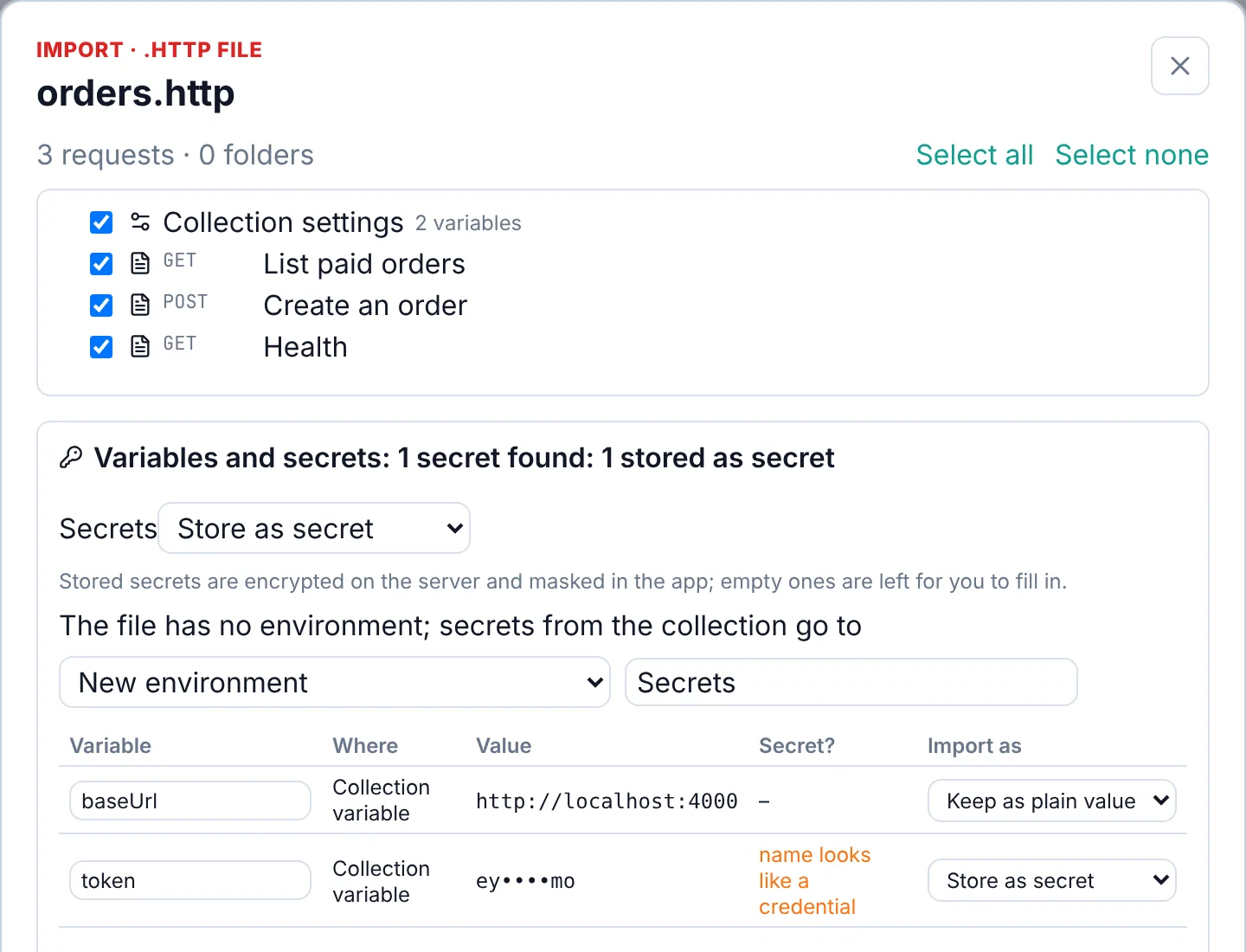
In the app, use Import → Import file… in the Collections sidebar and pick the .http or .rest file. From a terminal:
npm install -g @requestarium/cli
requestarium login
requestarium import ./api.http --name "Users API" --dry-run
requestarium import ./api.http --name "Users API"
If you have one .http file per area, import each one into the same collection under its own folder:
requestarium import ./users.http --into "Platform API" --folder Users
requestarium import ./billing.http --into "Platform API" --folder Billing
Then move values into environments
.http files usually hard-code the host or keep it in a private environment file next to the code. In Requestarium, create one environment per stage (Local, Staging, Production) with host in each. Secrets such as tokens go into secret variables, or a local .env file you load in the app. See Keeping API keys out of your collections.
Run them as tests
A .http file is a list of requests. A collection can also be a test suite:
pm.test('user is created', () => {
  pm.expect(pm.response.code).to.equal(201);
});requestarium run-collection "Users API" --env Staging --junit results.xmlThat command gates a pull request in GitHub Actions or any other CI.
Keep .http files if you like them
Nothing forces you to give up the format. You can export a collection or folder back to .http (Export as…, .http file). HTTP and GraphQL requests and collection variables are written out; folders become request titles. That way the file in your repository and the shared collection can live side by side.