Introducing mock servers in Requestarium

Frontend and mobile developers often wait for an API that doesn't exist yet. Testers want a 404 or a slow answer on demand. CI shouldn't hit a real payment provider. Mock servers solve all three, and today they arrive in Requestarium.
How it works
A mock server answers HTTP calls with the example responses saved on a collection's requests. There is nothing new to learn: send a request, click Save as example, and that response becomes something a mock server can return.
Then open the collection, go to Mocks and click Create mock server. You get a URL like this:
https://mock.requestarium.com/m_8f3k2x9q1z/users/42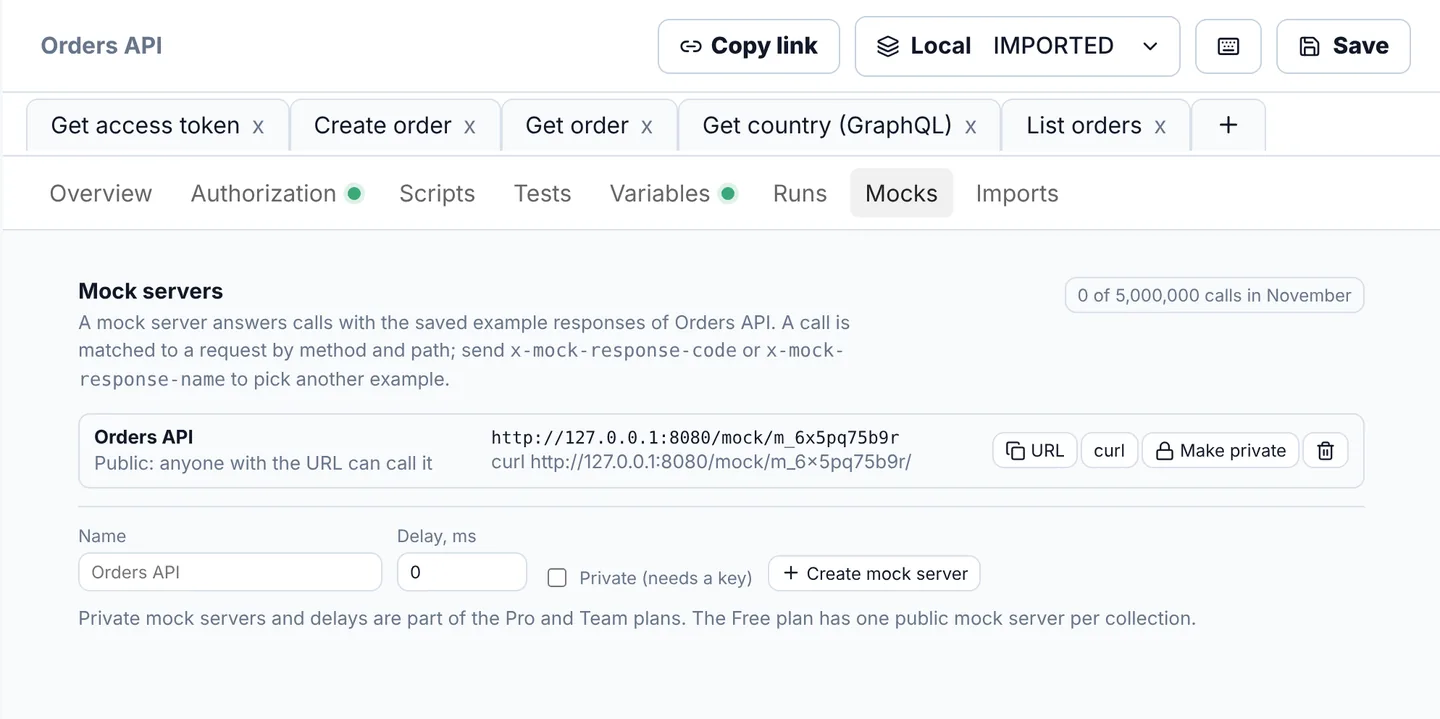
Calls are matched to requests by method and path, so GET /users/42 finds the request saved as {{baseUrl}}/users/:id. A fixed segment such as /users/me wins over a parameter.
Pick the answer you need
Each request can hold several examples, for example 200 OK and 404 Not found. A header picks one:
curl https://mock.requestarium.com/m_8f3k2x9q1z/users/42 -H "x-mock-response-code: 404"Without a header the default example answers. Imports bring examples too: Postman saved responses and OpenAPI response examples become examples you can mock right away.
Built for real use
- Open CORS. A web app on
localhostcan call the mock directly. - Private mocks (Pro and Team) require a key in the
x-api-keyheader. - Delays of up to 10 seconds (Pro and Team) let you test loading states.
- Safe responses. Mocks never set cookies and send
Content-Security-Policy: sandbox.
Plans
| Plan | Calls per month | Mock servers per collection |
|---|---|---|
| Free | 10,000 | 1 |
| Pro | 500,000 | unlimited |
| Team | 5,000,000 | unlimited |
Self-hosted installations serve mock servers from their own API host.
Get started
Update the desktop app, save an example on any request, and create your first mock server. The full guide is in the mock servers docs.