Keeping API keys out of your collections

Every API collection eventually needs a secret: a bearer token, an API key, a database password for a test fixture. The easy thing is to paste it into the request and move on. Then the collection gets exported, shared, committed to a repository or pasted into a support ticket, and the key goes with it.
There is no single right place for a secret. It depends on who needs it and where the request runs. This guide covers the four places Requestarium gives you, from the simplest to the strictest, and when to use each.
The rule: requests hold names, not values
Whatever you choose, write the request with a variable:
GET {{baseUrl}}/v1/orders
Authorization: Bearer {{apiToken}}
The request now says which secret it needs, not what it is. That makes it safe to share, export and review, and lets each person or pipeline supply the value in its own way. The request's Variables panel shows every variable a request uses and where its value comes from, so a missing one is easy to spot.
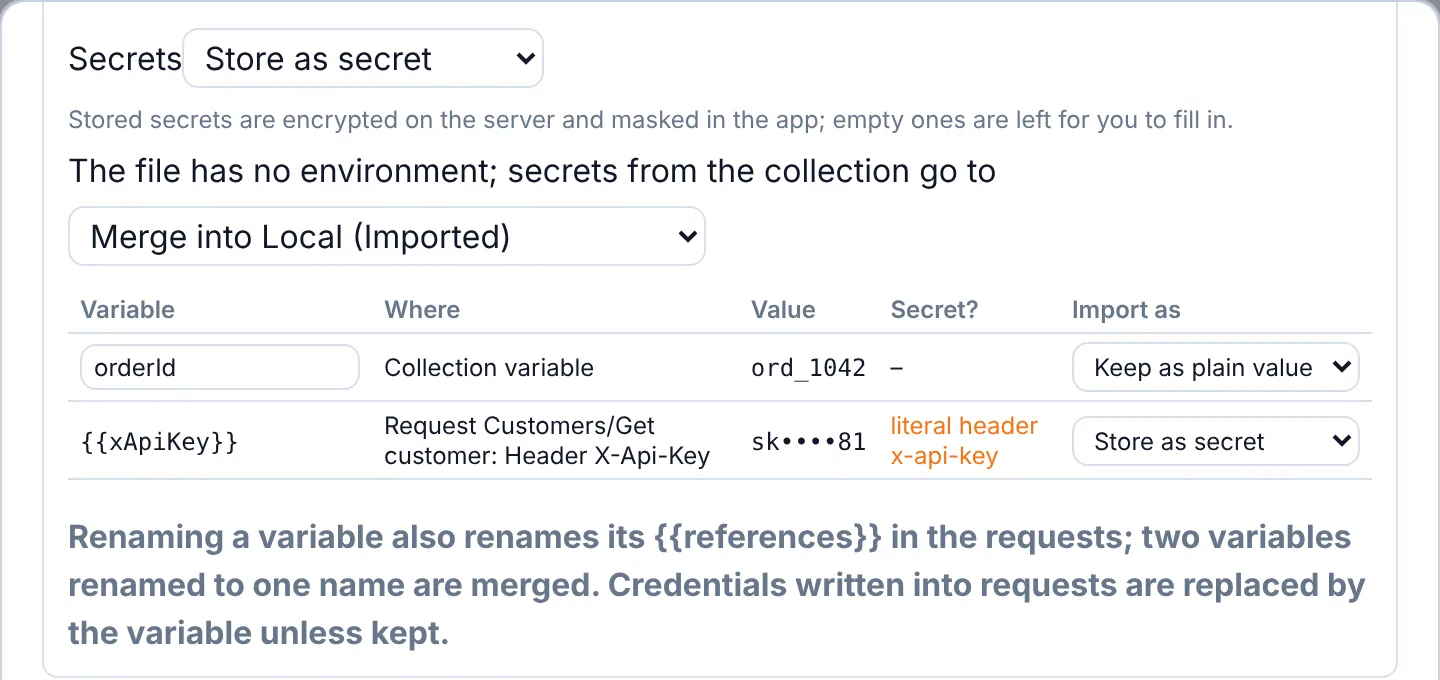
If you import collections from Postman, Insomnia or Bruno, the import preview has a Variables and secrets step that finds credentials written straight into auth settings and headers such as Authorization and X-Api-Key. You can move them into secret variables in one go, and the requests are rewritten to use {{variables}}.
1. Secret environment variables, for shared team secrets
When the whole team uses the same staging key, put it in the Staging environment and mark it as secret. Teammates get the environment with the collection, so they can send requests without asking anyone for the key, and the value is masked in run results, reports and exports.
From the terminal, read the value from standard input so it never lands in your shell history:
requestarium env set Staging apiToken - --secretChanging the value later keeps it secret. Secrets are encrypted at rest on the server.
2. A local .env file, for secrets that never leave your machine
Some values should not be stored anywhere but your laptop: a personal production token, a key you are only allowed to use yourself. For those, keep a .env file next to your code:
# .env (add it to .gitignore)
token=my-personal-token
STAGING_TOKEN=sk_test_...
PRODUCTION_TOKEN=sk_live_...
To use it in the app:
- Open the environment selector in the top bar.
- Click Load .env and pick the file.
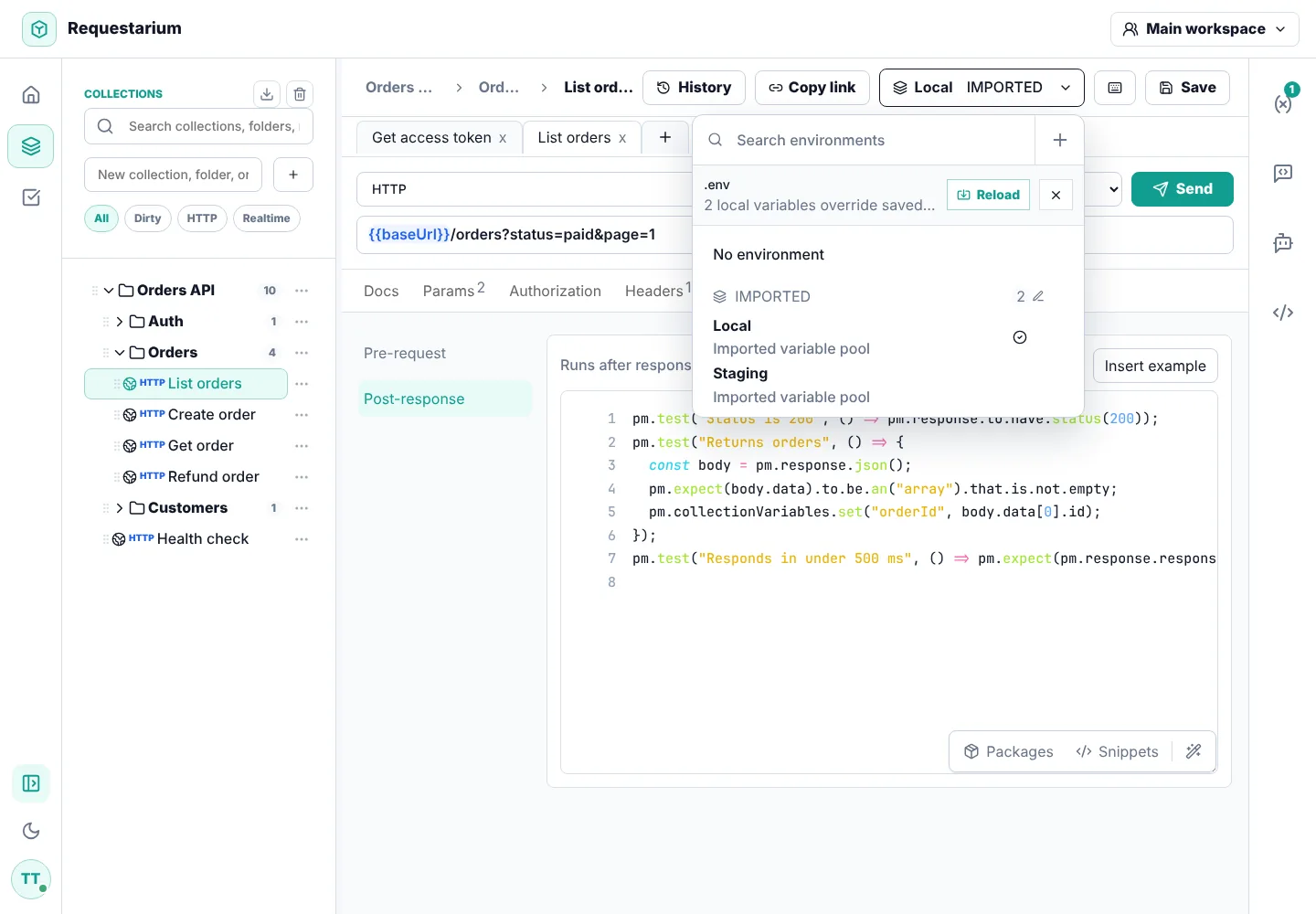
The values are used for this session only. They override the saved environment values, and they are never sent to the server or synced to your teammates.
To check where each value comes from, open the request's Variables panel (the (x) icon on the right). Values from the file are marked Local .env, and Clear removes them:
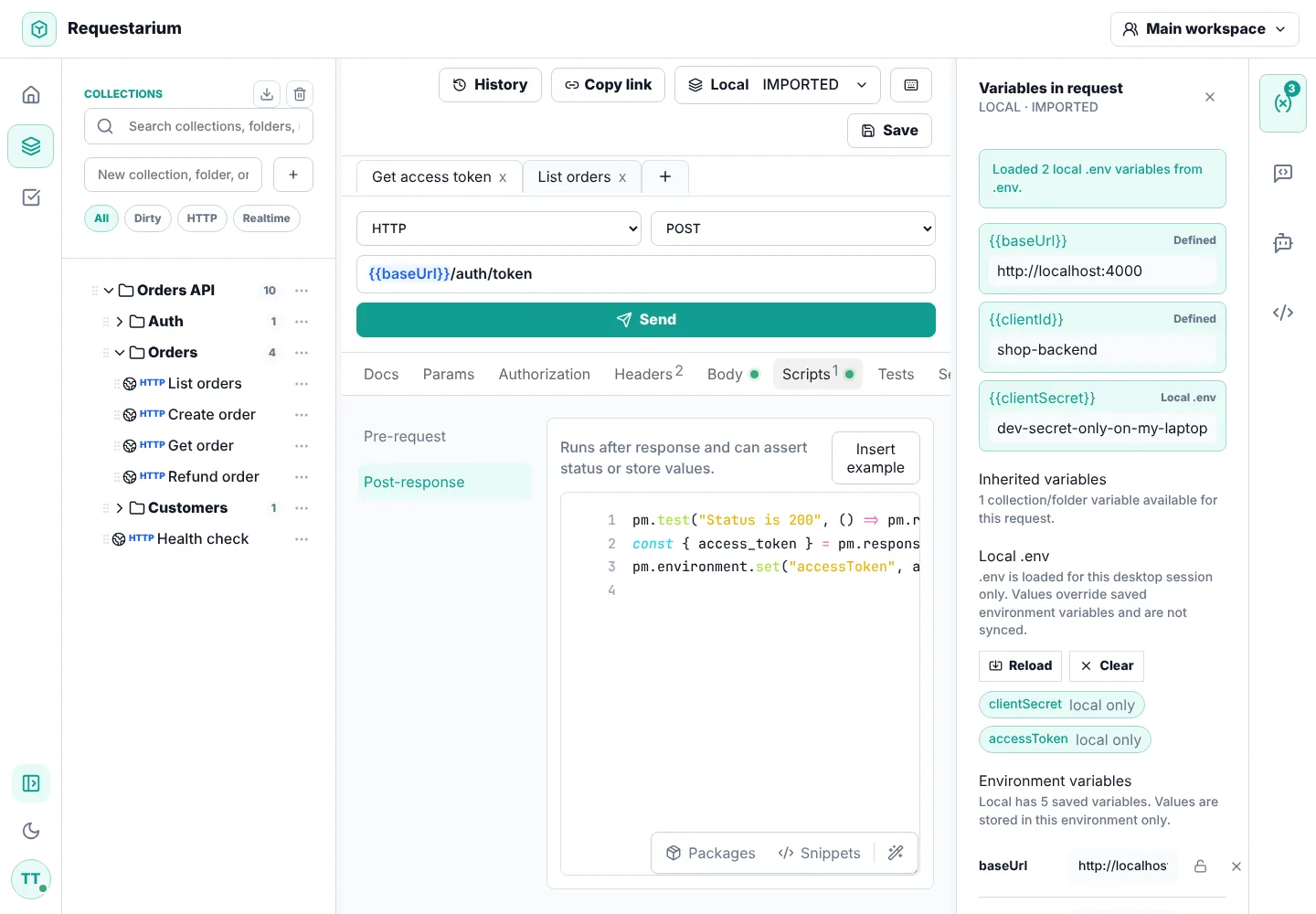
A .env file can hold values for several environments at once. A key that starts with the active environment's name is also available without the prefix: with Staging selected, STAGING_TOKEN is available as {{token}}. The environment group name works as a prefix too, so PAYMENTS_STAGING_TOKEN fills {{token}} when the Staging environment of the Payments group is active.
The CLI reads the same kind of file:
requestarium run-collection "Orders API" --env Staging --env-file .env--env-file can be repeated, for example a shared .env and a personal .env.local; later files win. Values from these files are masked in every report.
3. CI secrets, for pipelines
In CI, the secret already lives in your CI system: GitHub Actions secrets, GitLab CI/CD variables, Bitbucket secured variables. Don't copy it anywhere else. Pass it to the run by name:
- name: API tests
  env:
    REQUESTARIUM_TOKEN: ${{ secrets.REQUESTARIUM_TOKEN }}
    API_KEY: ${{ secrets.STAGING_API_KEY }}
  run: requestarium run-collection "Orders API" --env Staging --env-var API_KEY
--env-var API_KEY reads API_KEY from the job's environment and makes it {{API_KEY}}. To map a different name, use --env-var apiToken=STAGING_API_KEY. If the variable is not set, the run stops before sending anything, so a misconfigured job fails loudly instead of sending unauthenticated requests. The full workflow is in How to run API tests in GitHub Actions.
On the command line, later sources win: --env-file, then --env-var, then --var.
4. A cloud secret manager, for keys that rotate
If your team already keeps secrets in AWS Secrets Manager, Azure Key Vault or Google Cloud Secret Manager, the CLI can read them directly when a run starts, with your own cloud sign-in. Requestarium never sees your cloud credentials or the secret values.
Point an environment at its secrets with a variable:
requestarium env set Staging RQ_AWS_SECRET_NAME staging/orders-api
requestarium env set Staging RQ_AWS_REGION eu-central-1
An AWS secret that holds JSON such as {"apiToken":"…","dbPassword":"…"} gives you {{apiToken}} and {{dbPassword}}. Azure vaults and Google Cloud projects work the same way with RQ_AZURE_VAULT_URL, RQ_GCP_PROJECT and RQ_GCP_SECRET_NAME. Or pass them for one run with --aws-secret, --azure-vault and --gcp-secret.
In CI, sign in with aws-actions/configure-aws-credentials, azure/login or google-github-actions/auth first. No secret values are copied into GitHub at all, and when a key is rotated in the vault, the next run picks it up. Details are in the CLI reference.
What AI agents see
If you connect an AI agent to your collections through the Requestarium MCP server, it sees variable names, never environment values. Credentials written directly in requests are masked in what the agent gets back. More in Testing APIs with Claude Code and Cursor.
A quick checklist
- Requests use
{{variables}}for every credential. - Shared test keys are secret variables in the right environment.
- Personal and production keys are in a
.envfile that is in.gitignore. - CI passes secrets with
--env-var, or reads them from a secret manager. - If a secret was ever saved in plain text, rotate it. Deleting it is not enough.
See also: Environments.