How to migrate from Insomnia to Requestarium

Insomnia is a good API client, and plenty of developers still like it. But teams that share collections, run them in CI, and want one place for environments often outgrow it. If that is you, moving to Requestarium takes an afternoon, not a sprint. This guide walks through the whole move: export, import, environments, scripts, and a final check.
What carries over
Requestarium reads both Insomnia export formats: the older v4 export (JSON or YAML) and the v5 YAML that Insomnia 10 and later write. You don't need to convert anything first. The format is detected from the file.
| Insomnia | In Requestarium |
|---|---|
| Folders, with their variables, auth and scripts | Folders with the same settings |
| HTTP, GraphQL and WebSocket requests | Requests of the same type |
| Multipart, form and GraphQL bodies | The same bodies |
| Bearer, basic, API key, OAuth 2.0 and AWS IAM auth | The same auth |
| Base environment | Collection variables. {{ _.baseUrl }} becomes {{baseUrl}} |
| Sub-environments | Environments, in a group named after the collection |
| Several workspaces in one export | One folder per workspace |
A few things don't come over: gRPC requests, digest and NTLM auth, cookie jars, and Insomnia's unit test suites. The import preview lists each of them next to the item it belongs to, so you know exactly what to recreate.
Step 1: Export from Insomnia
Open the collection (or the whole project) in Insomnia, open its menu and choose Export. Pick the Insomnia format. Insomnia 10 and later give you a .yaml file; older versions let you choose JSON or YAML. Any of them works.
If you have several collections, export them one by one or export the project once. A multi-workspace export becomes one collection with a folder per workspace, which you can split later.
Step 2: Import with a preview
In Requestarium, click Import at the top of the Collections sidebar and choose Import file…. Before anything is created, you get a preview:
- a tree of folders, requests and environments from the file, with checkboxes to leave out what you don't need;
- Import into: a new collection, or a merge into one you already have;
- a Variables and secrets step when the file holds credentials, where you choose whether each secret goes into a secret environment variable, stays empty for you to fill in, or is kept as it is.
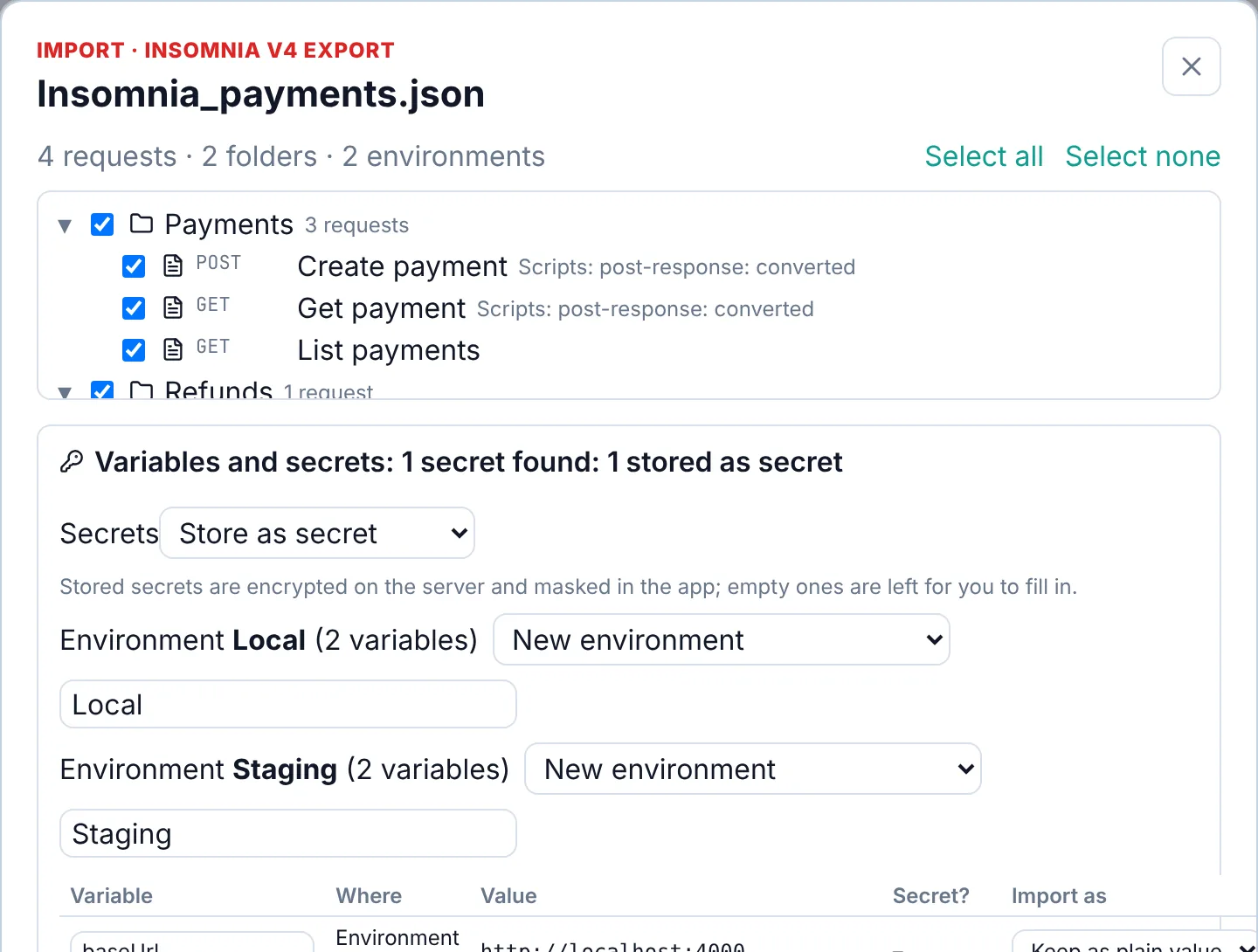
Here the Local environment holds an apiKey. Requestarium flags it because the name looks like a credential and suggests storing it as a secret.
Step 3: Bring environments with you
Insomnia sub-environments become Requestarium environments, in a group named after the collection. So a collection with Local, Staging and Production sub-environments lands with the same three environments, ready in the environment selector.
Private sub-environments are imported as plain variables and flagged, so you can decide which values belong in a secret variable. For anything you never want stored on a server, there is also the local .env file, covered in Keeping API keys out of your collections.
Step 4: Check the converted scripts
Insomnia scripts use the insomnia object. Requestarium runs the Postman-style pm API, so the import rewrites the common calls for you:
// Insomnia
insomnia.test('returns the user', () => {
  insomnia.expect(insomnia.response.code).to.equal(200);
});

// After import
pm.test('returns the user', () => {
  pm.expect(pm.response.code).to.equal(200);
});insomnia.environment, variables, test, expect, request, response and cookies are converted, and baseEnvironment is handled too. Calls without a counterpart, such as insomnia.sendRequest, are listed in the preview's Scripts section:
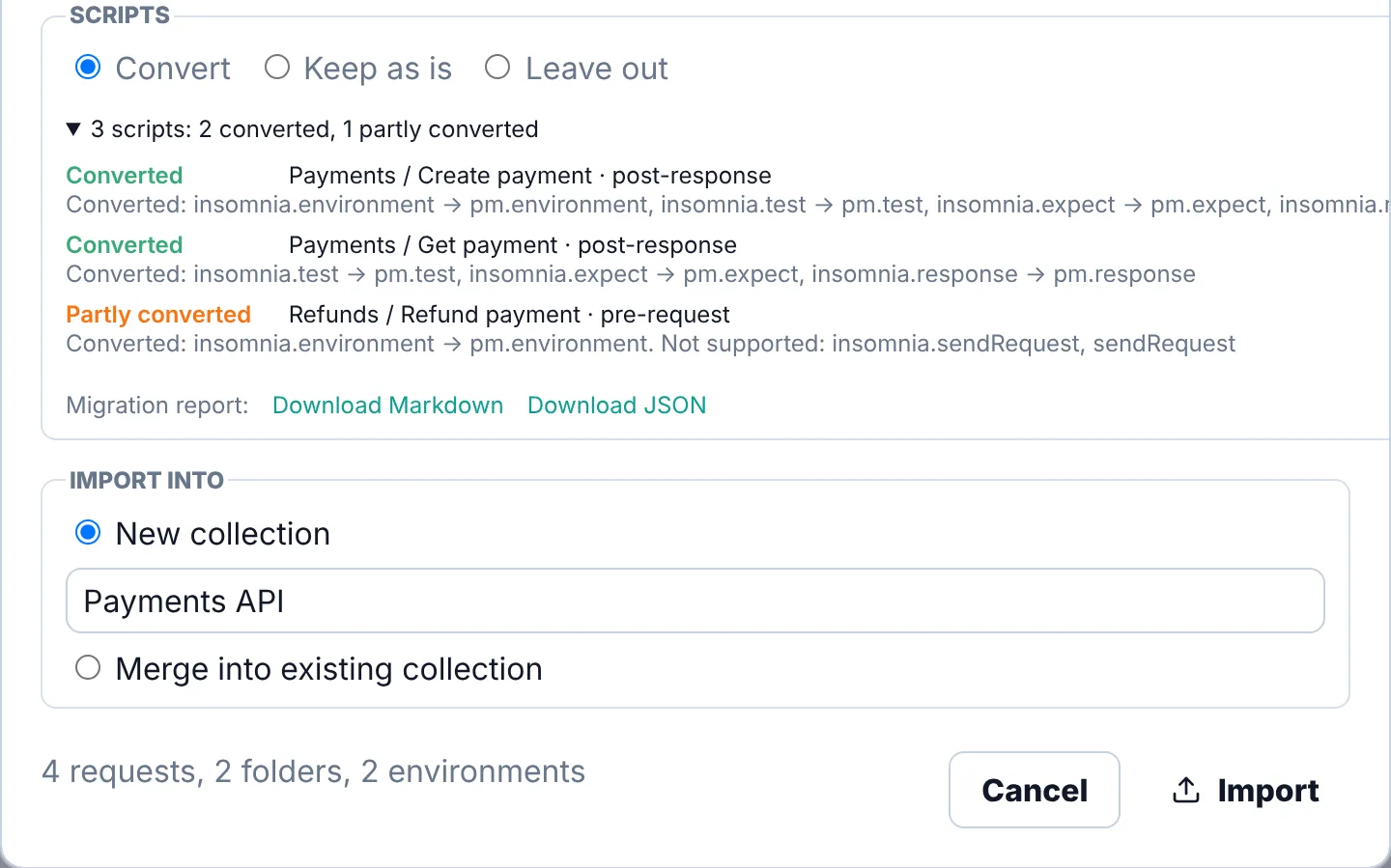
Each converted script keeps the original as a comment at its end, so nothing is lost if you want to compare:
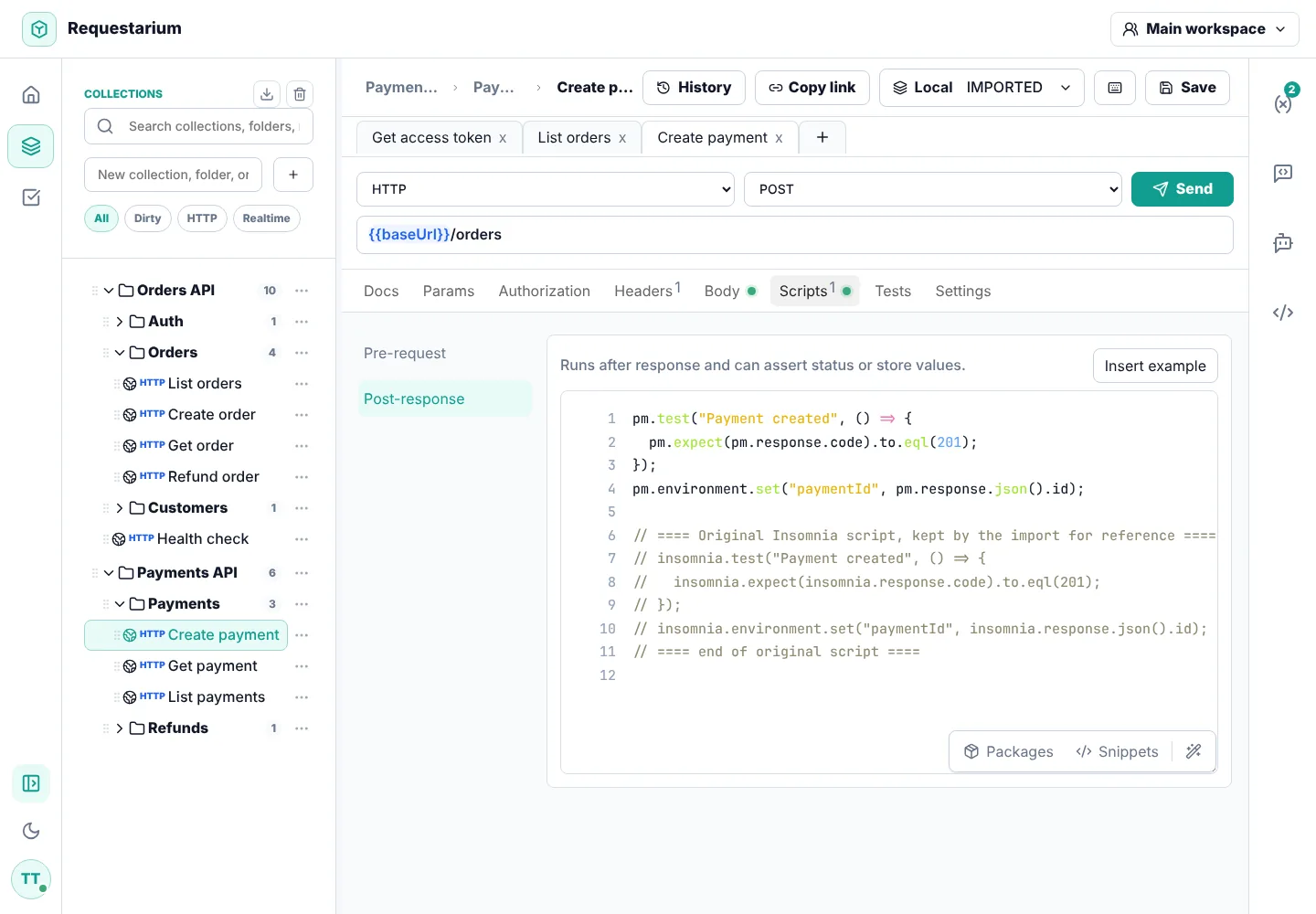
You can download the full script report as Markdown or JSON.
Prefer the terminal?
The Requestarium CLI imports the same files, and --dry-run shows what it would create before it touches anything:
npm install -g @requestarium/cli
requestarium login
requestarium import ./insomnia-export.yaml --environments --dry-run
requestarium import ./insomnia-export.yaml --environments
--environments creates the sub-environments as well. Add --script-report scripts.md to save the script conversion report next to the export.
Step 5: Run it once
Open the collection's Runs tab, pick an environment and click Run collection. Or from the terminal:
requestarium run-collection "Payments API" --env StagingGreen tests mean the move worked. Red ones point at the request and the assertion that failed, which is usually a variable that needs a value.
Do the same for the rest of your tools
Teams rarely use just one client. The same Import file… button reads Postman collections, Thunder Client, Bruno, Hoppscotch, HAR recordings, .http files, OpenAPI specs and plain curl commands. If part of your team is on Postman, read Moving your team off Postman.
What it costs
The Free plan covers 3 collections, 3 environments and 3 team members, which is enough to migrate a real collection and try it with your team. Pro is $8 per month and Team is $12 per seat per month, both billed yearly. See pricing for the details.