Share API documentation with a link, no account needed

A partner asks how to call your API. You could write a doc, export a collection and hope they have the same tool, or invite them to your workspace. Or you could send them a link to a page that lists every request, with docs, headers and example bodies, readable in any browser without signing up.
That's what Share docs does.
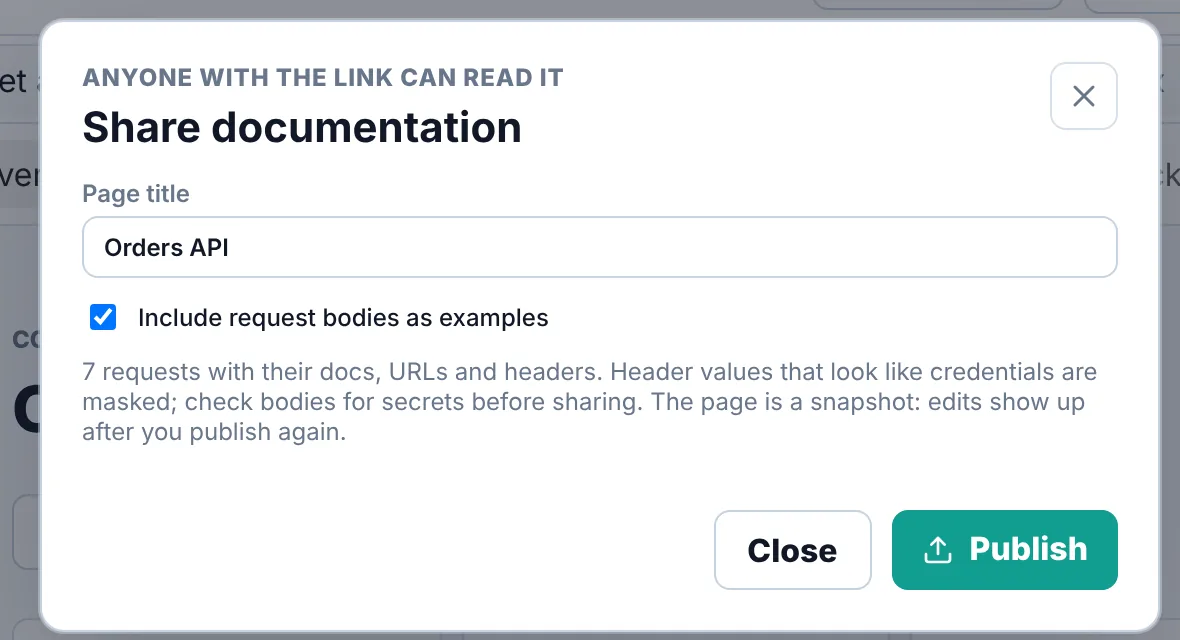
Publish
On a collection's Overview, click Share docs. Requestarium publishes the collection's documentation as a read-only web page and gives you a link. Anyone with the link can read it. They don't need an account or the app.
The page lists every request in tree order, grouped by folder, with:
- its method and URL;
- its docs, written in Markdown in the request's Docs tab;
- its headers;
- its body as an example, if you keep Include request bodies as examples on.
Sharing docs is available on every plan.
Write docs that help
The page is only as good as the Docs tab of each request. A few lines go a long way:
Creates an order for the authenticated customer.

- `items` must contain at least one item.
- Returns `201` with the new order, or `422` if an item is out of stock.
- Idempotent when you send an `Idempotency-Key` header.
Use {{variables}} in URLs, like {{baseUrl}}/orders, so the page doesn't expose internal hosts. Tell readers what baseUrl is in the collection's own docs.
Credentials are masked
Before the page is published, values that look like credentials are masked unless they are a {{variable}}:
Authorization,Cookie, API key and token headers;- query parameters such as
?api_key=…or?access_token=…; - passwords in URLs (
https://user:password@host).
Control the link
- Copy link copies the address. The link is long and random, and the page asks search engines not to index it.
- Turn off link stops the page immediately. Sharing again creates a new link, so the old one never works again.
- Deleting the collection stops the page too.
Publishing and turning the link off need write access to the collection.
When to use something else
- Your team already lives in Confluence? Publish the same docs to a Confluence page instead. See Publish API docs to Confluence.
- The partner should try the calls themselves? A mock server gives them a URL that answers with your saved examples, without touching your real API.
- You need a formal spec? Export the collection as OpenAPI 3 (Export as…) and publish it with your docs tooling.