API authentication types explained: bearer, basic, API key, JWT, OAuth 2.0 and AWS

Every API you test asks "who are you?" in one of a handful of ways. Knowing which one, and what it actually puts on the wire, makes 401 errors much less mysterious. Here's a tour of the common schemes and how to set each up in Requestarium.
Set auth once, inherit everywhere
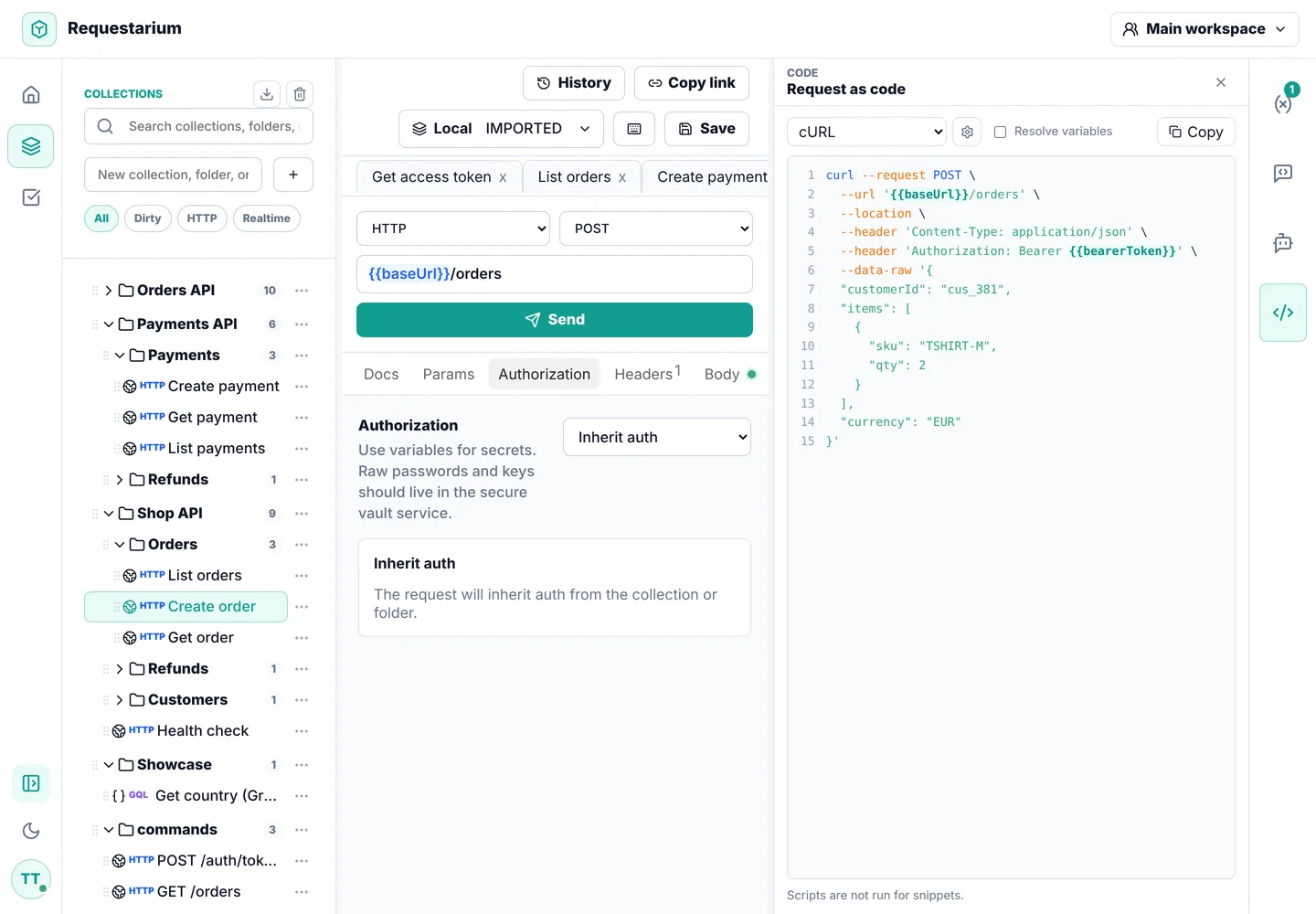
Before the schemes: in Requestarium, auth is set on the Authorization tab of a collection, a folder or a request. Requests and folders default to Inherit auth, so one setting on the collection covers every request inside it. A folder can override it (an admin area with a different key), and a single request can use No auth (a public health check).
Bearer token
Authorization: Bearer eyJhbGciOiJIUzI1NiIs...The most common scheme today. Whoever holds the token is let in, so it's usually short-lived. In Requestarium choose Bearer token and enter {{token}}. Get the token from a login request and store it with a script; see How to chain API requests.
JWT Bearer is the same header; the token happens to be a signed JSON Web Token, which the server can verify without a database lookup. If a 401 surprises you, decode the token's payload and check its exp (expiry) and aud (audience) claims.
Basic auth
Authorization: Basic dXNlcjpwYXNzd29yZA==That value is just user:password in Base64. It's encoding, not encryption, so basic auth is only safe over HTTPS. Still common for internal services, webhooks and older APIs. Choose Basic auth and enter {{username}} and {{password}}.
API key
X-Api-Key: sk_test_51H...or in the query string:
GET /v1/items?api_key=sk_test_51H...A long-lived static key, typical for server-to-server APIs. Choose API key, set the header or parameter name, the value ({{apiKey}}) and whether it goes in a header or the query. Prefer headers: query strings end up in server logs and browser history. Requestarium masks ?api_key=… style values in reports anyway.
OAuth 2.0
OAuth 2.0 is a way to get a bearer token, rather than a token format. The client asks an authorization server for an access token, then sends it as Authorization: Bearer …. The grant types you'll meet most:
| Grant | Used for |
|---|---|
| Client credentials | Server-to-server: your service authenticates as itself |
| Authorization code with PKCE | Acting on behalf of a user who logs in in a browser |
| Password (resource owner) | Legacy first-party apps; avoid for new work |
| Refresh token | Getting a new access token without logging in again |
Choose OAuth 2.0, fill in the token URL, client ID and secret and scopes, and click Get new access token. Details in OAuth 2.0 in your API client.
AWS Signature (SigV4)
AWS APIs, and APIs behind API Gateway with IAM auth, don't use a token at all. Each request is signed with your access key: the signature covers the method, path, headers, body hash and a timestamp, so it can't be replayed later or reused for a different request. Choose AWS signature and enter the access key ID, secret access key, optional session token, region and service.
Cookies and sessions
Browser-style APIs log in once and then rely on a session cookie. No auth setting is needed: cookies set by a login response are sent with later matching requests automatically. See Cookies and sessions in API testing.
Mutual TLS
Some APIs, often in banking and B2B, authenticate the client with a certificate at the TLS level, before any HTTP header is read. The CLI supports it with --cert and --key. See Testing APIs that need client certificates.
Debugging a 401 or 403
- 401 Unauthorized usually means no credentials, or invalid ones: an expired token, a typo in the key, the wrong environment.
- 403 Forbidden usually means valid credentials without permission: a read-only key on a write endpoint, a missing scope.
Check the request's Variables panel first: an undefined {{token}} is the most common cause of all. In the CLI, --verbose prints the request headers (with secrets masked), so you can see whether an Authorization header was sent at all.