Data-driven API tests with CSV and JSON files

A test that checks GET /users/1 returns 200 tells you very little. The bugs live in the other cases: the user who doesn't exist, the one with a deleted account, the ID that is a string, the name with an emoji in it. Writing a separate request for each case doesn't scale, and copying requests around is how test suites rot.
Data-driven testing solves this. You write the request and its tests once, put the inputs in a CSV or JSON file, and run the collection once per row. Adding a case means adding a line.
The data file
CSV: the first line holds the column names. Values can be quoted, and quoted values can contain commas, quotes ("") and line breaks.
userId,expectedStatus,note
1,200,active user
2,200,user with a long name
999,404,does not exist
abc,400,invalid id
JSON: an array of objects. Numbers and booleans become text; nested values become JSON text.
[
  { "userId": 1, "expectedStatus": 200 },
  { "userId": 999, "expectedStatus": 404 },
  { "userId": "abc", "expectedStatus": 400 }
]
A file can have up to 10,000 rows. Each column becomes a variable for that pass.
Use the row in the request
Columns are ordinary variables, so you use them like any other:
GET {{baseUrl}}/users/{{userId}}They work anywhere variables do: the URL, headers, query parameters and the body.
{
  "email": "{{email}}",
  "plan": "{{plan}}"
}
Use the row in the tests
The expected result usually belongs in the data file too, next to the input. Scripts read the current row's values the same way they read environment variables:
pm.test('status matches the data file', () => {
  const expected = Number(pm.environment.get('expectedStatus'));
  pm.expect(pm.response.code).to.equal(expected);
});

pm.test('returns the right user', () => {
  if (pm.response.code !== 200) return;
  pm.expect(pm.response.json().id).to.equal(Number(pm.environment.get('userId')));
});
Now one request covers the happy path, the missing user and the invalid input, and the file documents which is which.
Run it in the app
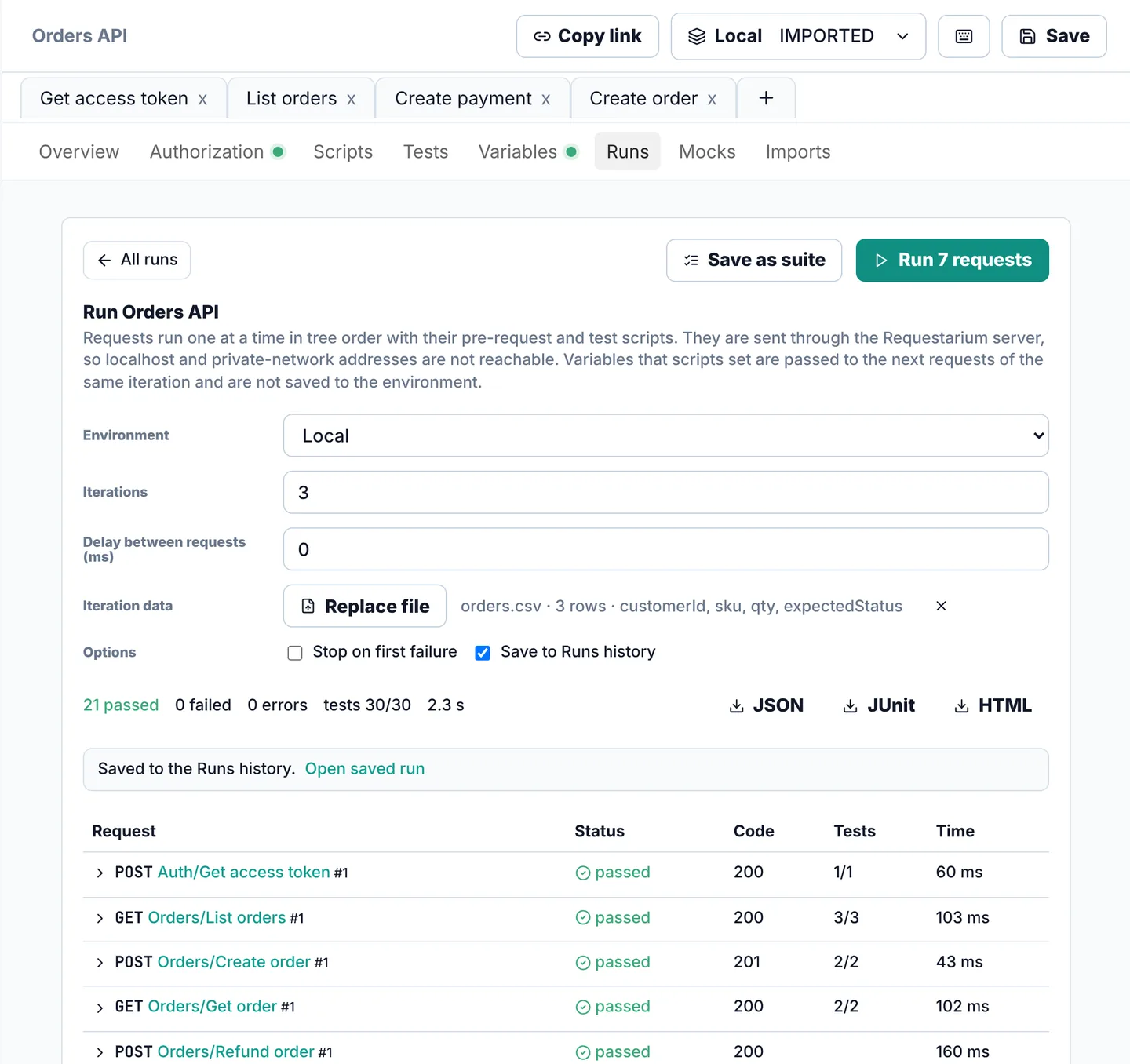
Open the collection's Runs tab, choose a CSV or JSON file under Iteration data, pick an environment and click Run collection. The runner goes through the whole collection once per row, and each result is labeled with its iteration number, so a failure tells you which row caused it.
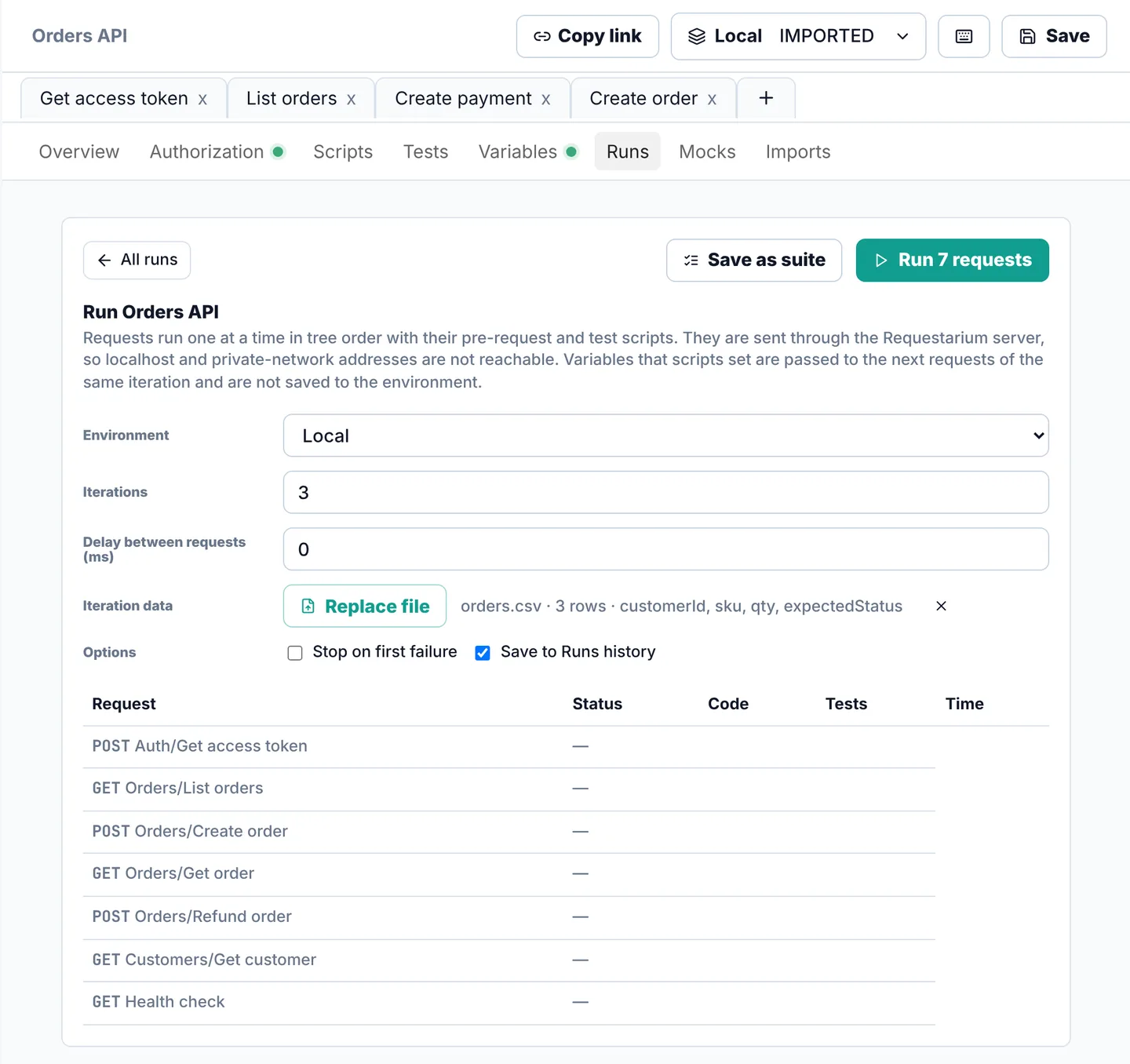
Stop on first failure ends the run at the first request that fails, which is handy while you're still writing the file.
Run it from the CLI
The Requestarium CLI takes the same file with --data:
requestarium run-collection "Users API" --env Staging --data users.csvReports number each pass as an iteration, in --json output and in the GitHub Actions job summary, so you can see which row failed.
Where values come from, from weakest to strongest:
- The environment (
--env Staging). - The current row of the data file.
--var key=valueon the command line.
So --var baseUrl=http://localhost:8080 points the whole data-driven run at your local server without touching the file. --data replaces --iterations, so pass only one of them.
In CI
Commit the data file next to your code and run it on every pull request:
- name: Users API, all cases
  env:
    REQUESTARIUM_TOKEN: ${{ secrets.REQUESTARIUM_TOKEN }}
  run: |
    requestarium run-collection "Users API" --env Staging \
      --data tests/users.csv --junit results.xml --save-run
The file is now reviewed like code: a new edge case is a one-line pull request, and the diff shows exactly what is being tested. The full workflow, with reports and secrets, is in How to run API tests in GitHub Actions.
Tips
- Keep one file per scenario, such as
users-read.csvandusers-create.csv, rather than one huge file with columns most rows don't use. - Put the expectation in the file. A column like
expectedStatusturns the file into a readable table of cases. - Use a
notecolumn. It costs nothing and makes failed iterations easy to understand. - Don't put secrets in data files. They end up in the repository. Use environment variables or
--env-varinstead (see Keeping API keys out of your collections). - Run one folder with
--folderif only part of the collection should repeat per row.
Coming from Postman?
If your collections already use Postman data files, the same CSV and JSON files work here, and pm.test and pm.expect run unchanged. Moving your team off Postman covers the rest of the move.