Turn curl commands into a reusable API collection

curl is the lingua franca of APIs. Every API's docs have curl examples, every teammate pastes one into chat when something breaks, and every browser can copy a network request as curl. What curl doesn't do is remember: the command you got working last Tuesday is somewhere in your shell history, with a token that has expired.
Requestarium turns curl commands into saved requests you can edit, share, test and run again.
Paste a single command
Copy a command, for example from your browser's DevTools (right-click a request → Copy → Copy as cURL):
curl 'https://api.example.com/v1/orders?status=open' \
  -H 'Accept: application/json' \
  -H 'Authorization: Bearer eyJhbGciOi...'
In the app, the quickest way is to paste it straight into the URL field of a new request: the method, URL, headers, body and auth are all filled in from the command. To add it from a terminal instead:
requestarium import --curl "curl https://api.example.com/v1/orders?status=open -H 'Accept: application/json'" --into "Orders API"--into adds the request to an existing collection instead of creating a new one.
What is understood
| curl | Becomes |
|---|---|
| Method and URL, including the query string | Method, URL and query parameters |
-H headers | Headers |
-d, --data-raw, --data-urlencode, --json | The request body |
-F | A multipart form body |
-u user:password | Basic auth |
-H 'Authorization: Bearer …' | Bearer auth |
Shell variables ($TOKEN) and pipes are not evaluated, because they belong to your shell, not to the request.
Import a whole file of commands
If you keep a .sh file of curl commands, the kind every team has in a scripts/ folder, import the file. Each curl command becomes a request, and a # comment line above a command becomes its name:
# List open orders
curl https://api.example.com/v1/orders?status=open

# Create an order
curl -X POST https://api.example.com/v1/orders --json '{"sku":"A-100","qty":1}'requestarium import ./api-examples.sh --name "Orders API"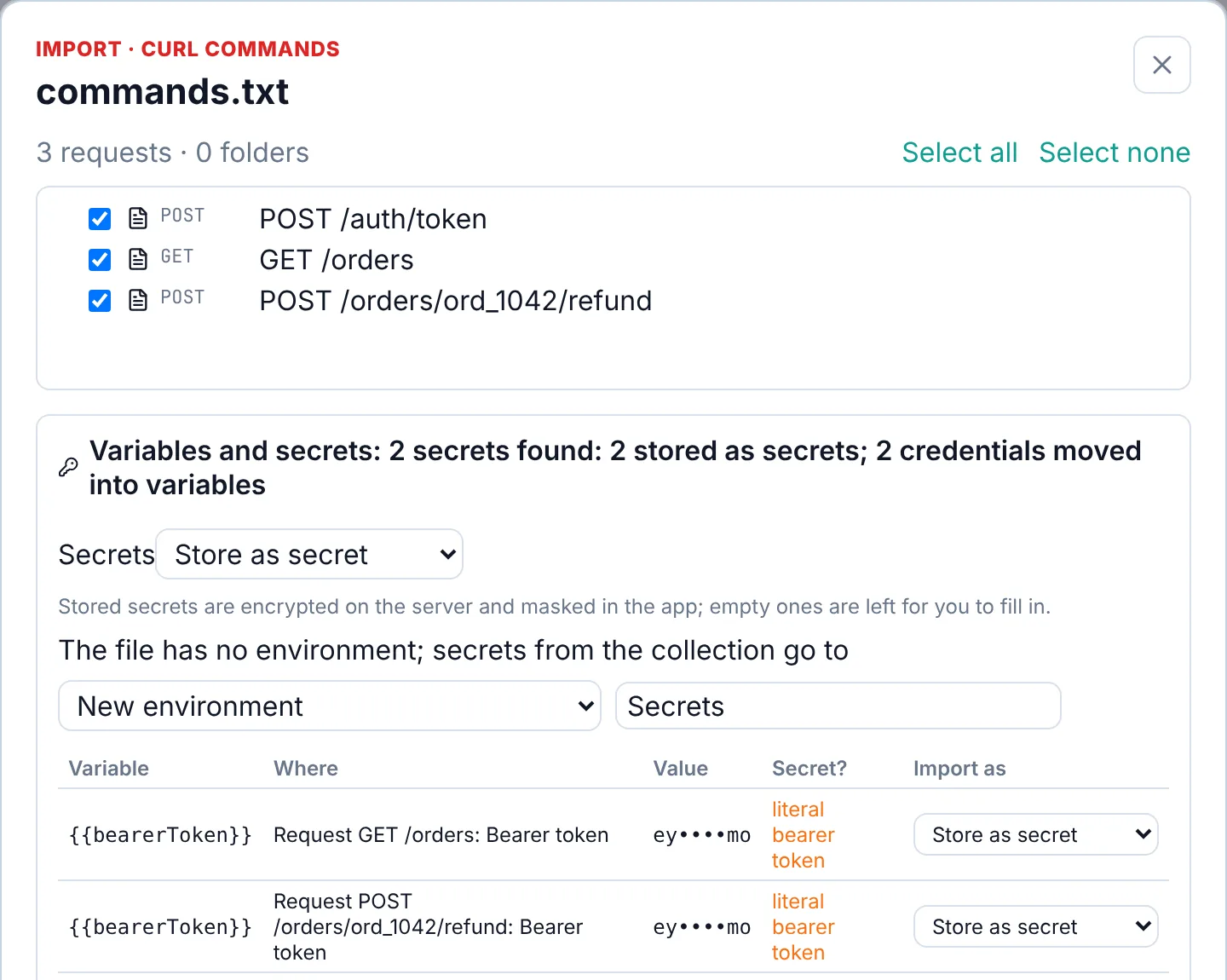
Clean it up once
A pasted command carries literal values. Two quick changes make it reusable:
- Replace the host with
{{baseUrl}}and the token with{{token}}, then define both in an environment. Now the request works against local, staging and production. - Add a check in the Scripts tab:
pm.test('returns a list', () => {
  pm.expect(pm.response.code).to.equal(200);
  pm.expect(Array.isArray(pm.response.json().items)).to.equal(true);
});
The request is now a test you can run from the app, the CLI, or CI.
And back to curl
Going the other way is just as useful: you've built a request in Requestarium and need to hand it to someone without the app, or paste it into a bug report. Open the request's Code panel and copy it as curl, or as fetch, Python, Go and other languages. The app snippet contains the resolved values, so check it for tokens before you paste it anywhere public.
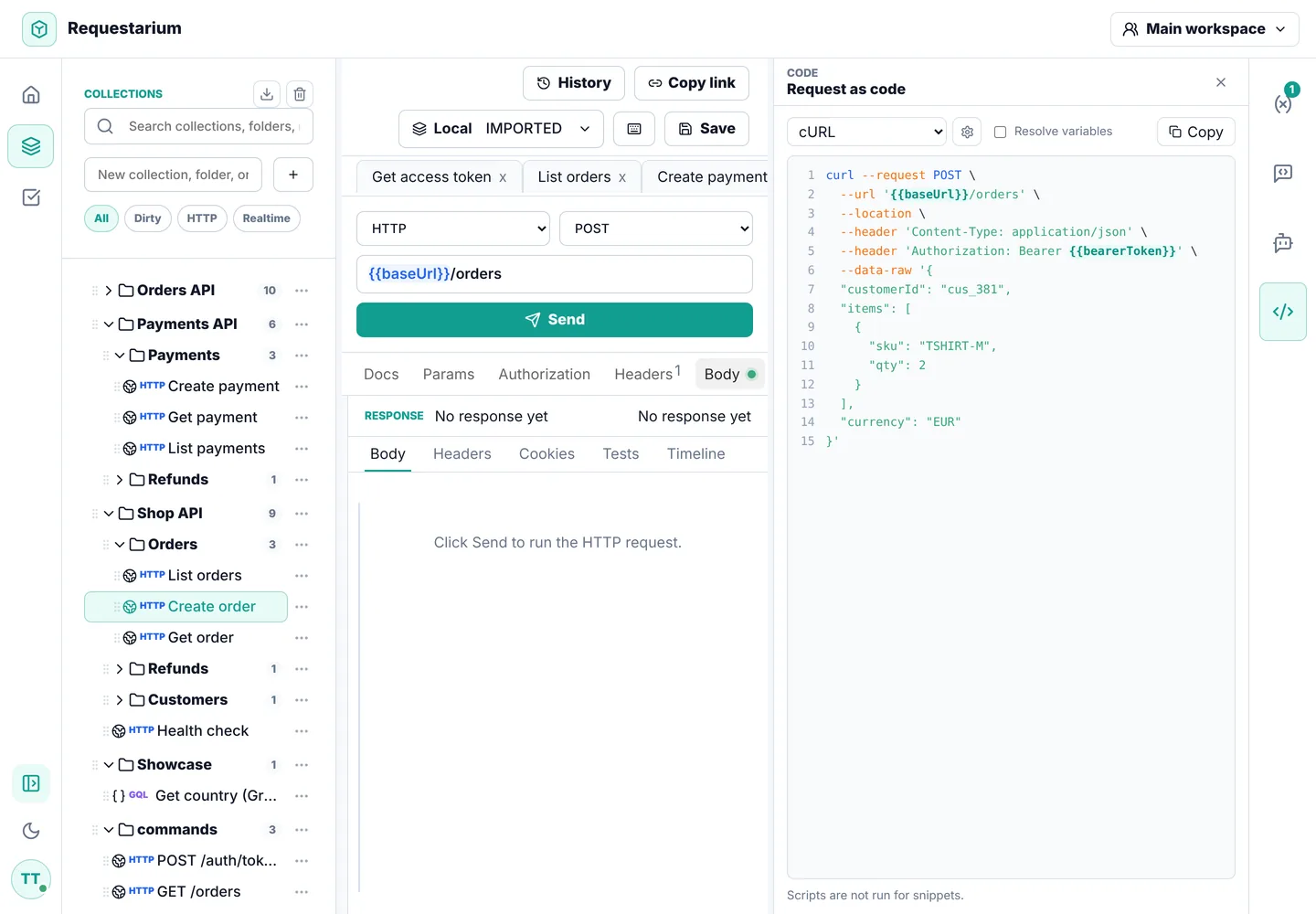
requestarium snippet "List open orders" --collection "Orders API" --env StagingRelated
- Capturing a whole browser session instead of one call? Turn a HAR file into an API collection.
- Importing the API's full spec: OpenAPI import.