Generate code from an API request in 12 languages

You've got a request working in your API client: the right headers, the auth, the body that finally doesn't return 422. Now you need the same call in code, for a script, a bug report, a teammate who doesn't use the tool, or the service you're writing. Retyping it is how typos get in. Generating it isn't.
In the app
Open a request and its Code panel. Pick a language and copy:
| Language | Library |
|---|---|
| Shell | cURL, HTTPie |
| PowerShell | PowerShell |
| JavaScript | fetch, axios |
| Python | requests |
| Go | net/http |
| Java | HttpClient |
| Kotlin | OkHttp |
| C# | HttpClient |
| PHP | cURL |
| Ruby | Net::HTTP |
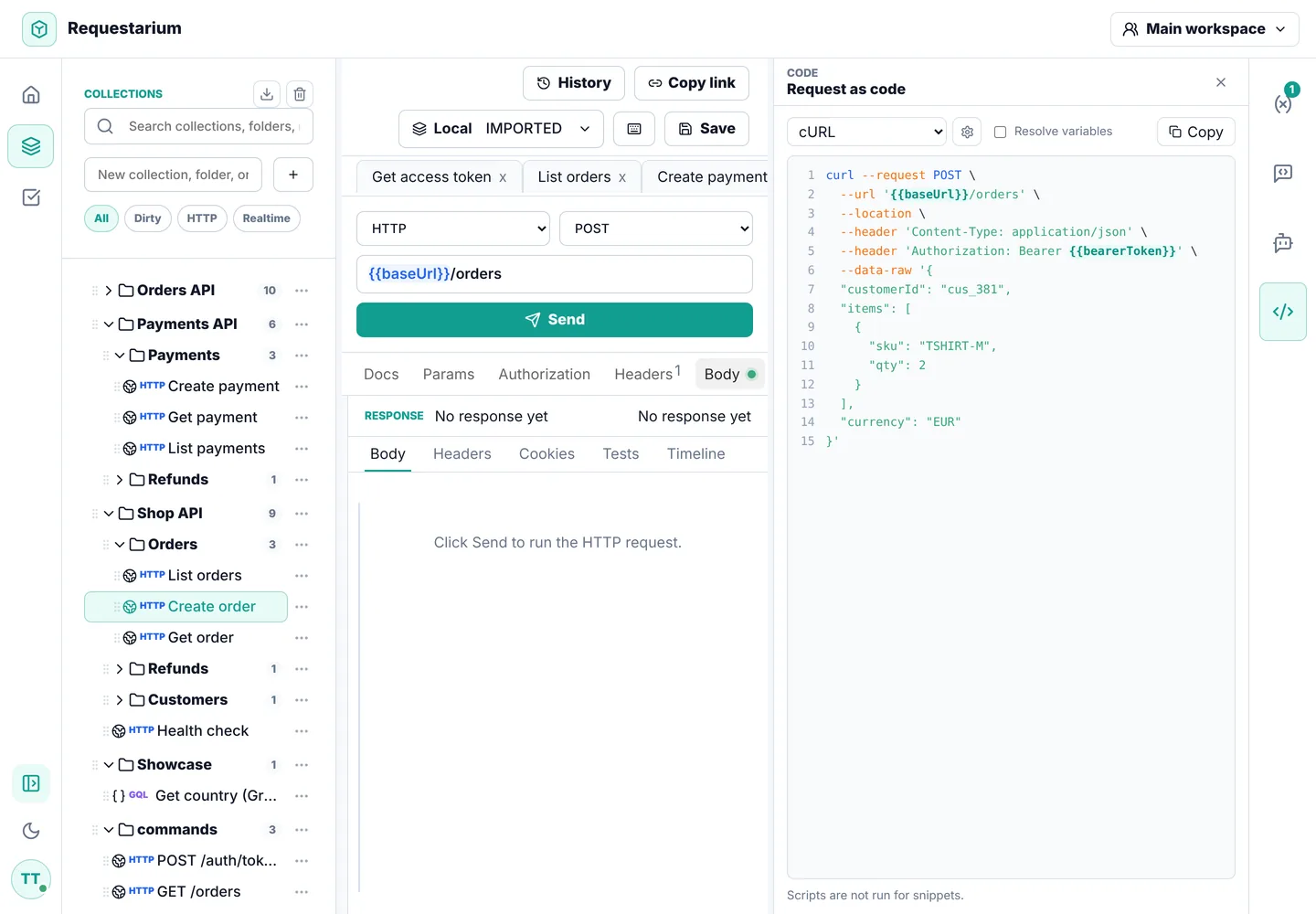
The gear next to the language has per-language settings: indentation, timeout, whether to follow redirects, and body trimming. Your last language is remembered.
The snippet is built from the request as it would be sent: {{variables}} resolved against the selected environment, inherited auth from the folder or collection applied, headers and body included. So the code works as-is.
From the CLI, with secrets masked
The CLI generates the same snippets, and masks secret values by default:
requestarium snippet "Create order" --collection "Orders API" --env Staging --lang pythonThe output is the Python code for the request, with the Authorization value shown as ••••••.
--langis one ofcurl,httpie,powershell,fetch,axios,python,go,java,kotlin,csharp,php,ruby.--show-secretsputs the real values in, when you need code that runs.--rawkeeps{{variables}}as written, which is handy for documentation.--var key=valuefills in a value for this snippet only.
Nothing is sent: the request is built exactly the way requestarium run would send it, pre-request scripts included, and then printed.
From an AI agent
The MCP server has a generate_snippet tool, with secrets masked the same way. "Give me the Go code for the Create order request against Staging" works in Claude Code or Cursor, and the agent can drop it straight into your codebase.
Good uses
- Bug reports. A curl command with masked secrets lets the backend team reproduce exactly what you sent.
- Onboarding partners. Code samples in their language, generated from requests you know work.
- Scripts and one-off jobs. Start from working code instead of a blank file.
- Docs. Use
--rawto keep{{baseUrl}}placeholders in published examples.
Going the other way
Got a curl command and want a saved request? Paste it into the URL field of a new request. See Turn curl commands into a reusable API collection.