How to test a GraphQL API

Testing a GraphQL API looks like testing REST, with one twist that catches everyone at least once: a GraphQL server usually answers 200 OK even when the query failed. The failure is in an errors array in the body. A test that only checks the status code will happily pass a broken API.
This guide covers GraphQL requests in Requestarium, the checks that actually matter, and running them in CI.
A GraphQL request
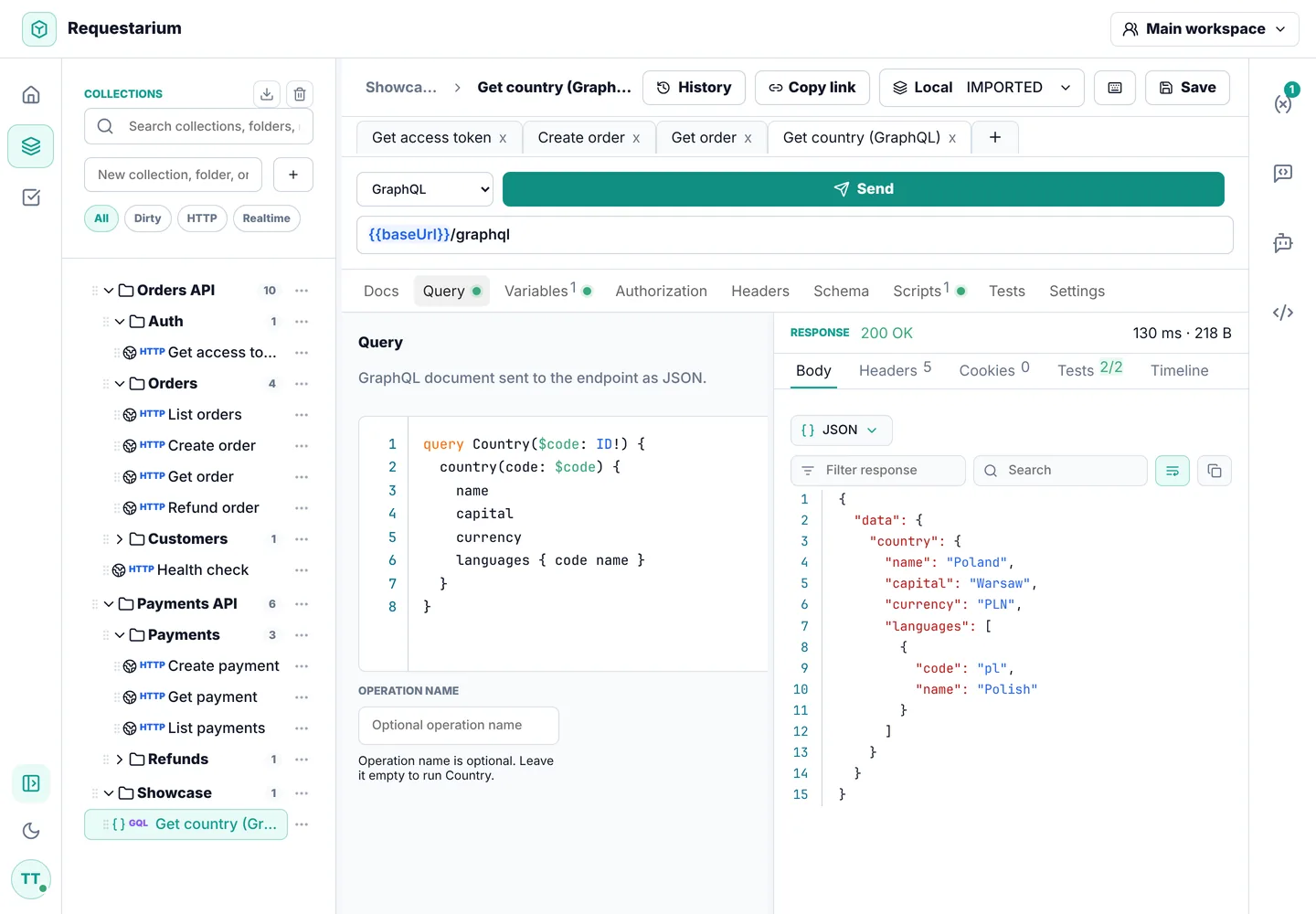
Create a request and switch its type to GraphQL. It has its own tabs:
| Tab | What goes there |
|---|---|
| Query | The query or mutation |
| Variables | A JSON object of GraphQL variables |
| Authorization | Inherited from the collection, or set on the request |
| Headers | Extra HTTP headers |
| Schema | The schema source, a schema URL or the definition |
| Scripts | Before query and After response |
query Account($id: ID!) {
  account(id: $id) {
    id
    balance
    currency
  }
}{
"id": "{{accountId}}"
}{{variables}} work inside GraphQL variables, so the same request runs against any environment.
Always check errors
const body = pm.response.json();

pm.test('no GraphQL errors', () => {
  pm.expect(body.errors).to.be.undefined;
});

pm.test('returns the account', () => {
  pm.expect(body.data.account.id).to.equal(pm.environment.get('accountId'));
  pm.expect(body.data.account.balance).to.be.a('number');
});Or without code, in the request's Tests tab: source JSON body, path $.errors, operator does not exist. A collection-level Tests row applies it to every request in the collection.
Test the errors you expect, too
Good GraphQL tests also check that bad input fails properly:
pm.test('rejects an unknown account', () => {
  const errors = pm.response.json().errors;
  pm.expect(errors).to.be.an('array');
  pm.expect(errors[0].message).to.include('not found');
});
And that a client without the right permissions can't read fields it shouldn't. Run the same query with a low-privilege token from a second environment and check that sensitive fields are null or produce an error.
Mutations and chaining
Store IDs from a mutation for the queries after it:
mutation CreateOrder($input: OrderInput!) {
  createOrder(input: $input) { id status }
}pm.environment.set('orderId', pm.response.json().data.createOrder.id);The next request queries order(id: "{{orderId}}"). See How to chain API requests.
Importing GraphQL requests
GraphQL requests come across from Postman, Insomnia, Thunder Client, Bruno, Hoppscotch and .http files, so you rarely start from scratch. The Postman and Insomnia guides cover the details.
Run GraphQL tests in CI
The CLI runs GraphQL requests like HTTP ones:
requestarium run-collection "Accounts GraphQL" --env Staging --junit results.xmlEach pm.test becomes a JUnit test case. See How to run API tests in GitHub Actions.
Let an agent explore the schema
GraphQL schemas are large. With the Requestarium MCP server, an AI agent can create GraphQL requests in your collection, run them and write tests: "Add a request that fetches an account's last 10 transactions, with tests for the response shape." See Testing APIs with Claude Code and Cursor.
Checklist
- Check
errorson every response, not just the status code. - Check the fields you rely on, and their types.
- Test bad input and missing permissions.
- Keep IDs in variables and chain them.
- Run the collection in CI.