How to deal with flaky API tests

A flaky test is one that passes and fails without any change to the code. Every team has some, and every team learns the same lesson: once people start re-running red builds by reflex, the test suite has stopped protecting anyone. Fixing flakiness is less about clever tools and more about knowing where it comes from.
Where API test flakiness comes from
- The environment is restarting. A deploy to staging, a rolling restart, a load balancer warming up. These show up as 502, 503 and 504 responses or connection errors.
- Shared state. Two runs create the same user, one test deletes what another one reads, an earlier run left data behind.
- Timing. A request depends on an asynchronous job that isn't finished yet.
- Tight timeouts. A 2-second timeout against an endpoint that sometimes takes 2.1.
- Real intermittent bugs. Race conditions and caching bugs look exactly like flakiness. That's why you never just ignore it.
Each cause has a different fix. Here's how to handle them with the Requestarium CLI.
1. Retry only what's safe to retry
requestarium run-collection "Orders API" --env Staging --retries 2--retries N (0 to 10) resends a request when it can't be sent at all, or when it gets a 502, 503 or 504. It waits 1 second, then twice as long each time. Every other response, including 500, is not retried, because a 500 is your bug, not the environment's. That's the important part: retries absorb a restarting server without hiding a broken endpoint.
2. Gate on a pass rate, not on perfection
On a busy shared staging environment, you may decide that one failure in a hundred requests is acceptable for a nightly run, as long as it isn't systematic:
requestarium run-collection "Orders API" --env Staging --min-pass-rate 98With --min-pass-rate, a single failed request doesn't fail the run; the run fails when fewer than 98% of requests pass. Use this for broad regression runs, not for the smoke tests that gate a merge. Those should be strict.
3. Give each run its own data
Most "it passes alone but fails in CI" problems are shared state. Make each run create what it needs, with unique values:
{
  "email": "ci-{{$guid}}@example.com",
  "name": "Order {{$timestamp}}"
}
Dynamic variables like {{$guid}}, {{$randomUUID}} and {{$timestamp}} are built in. Values a script stores with pm.environment.set during a run are passed to later requests in the same iteration and are not saved to the environment, so parallel runs don't overwrite each other.
4. Set timeouts on purpose
The default timeout is 30 seconds. If a few endpoints are legitimately slow, set a timeout on that request or folder in the app, rather than raising it for everything. For a single run, --timeout overrides all of them:
requestarium run-collection "Reports API" --env Staging --timeout 600005. Look at history, not at one run
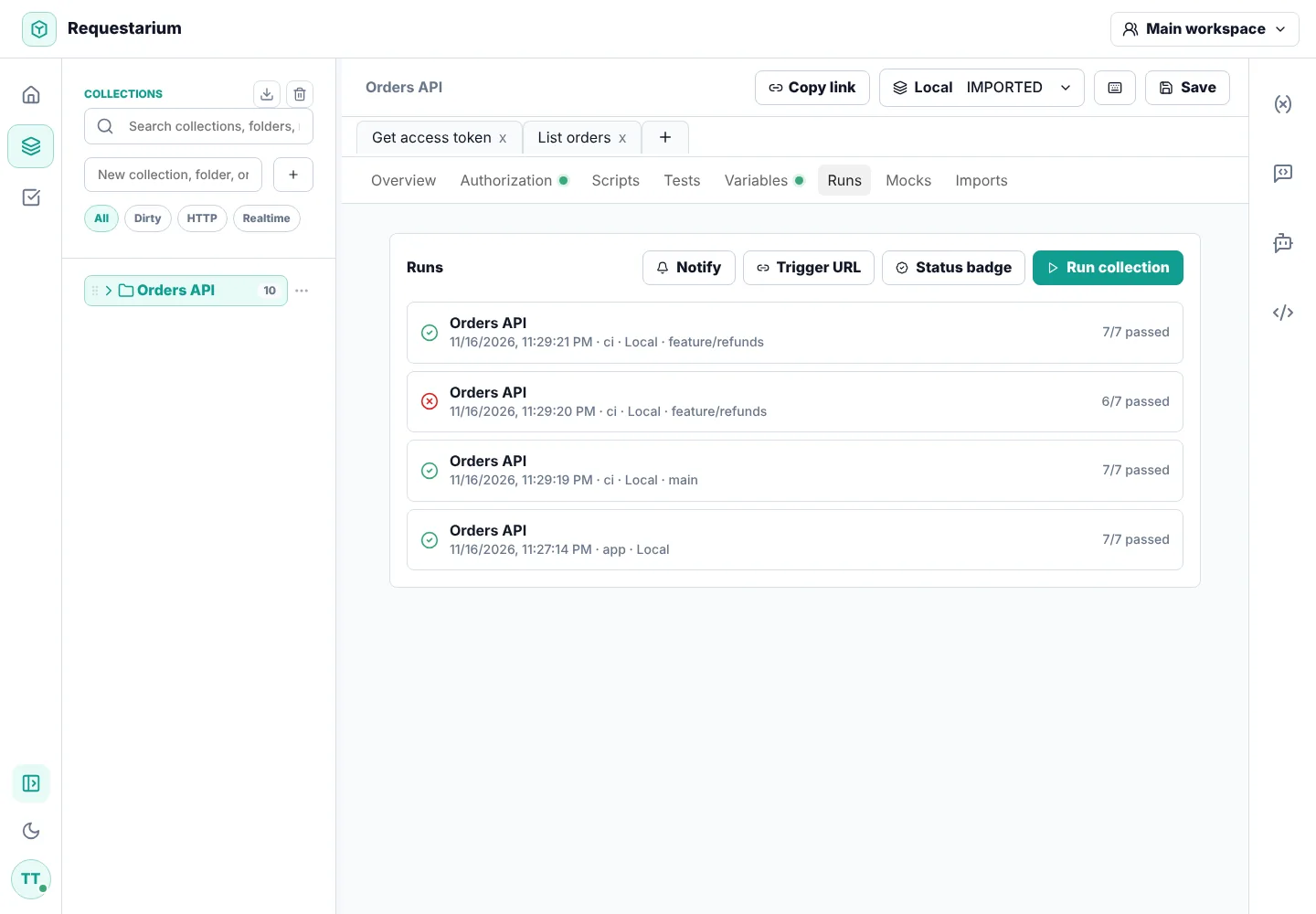
A single red build tells you little. A pattern tells you a lot. Save runs and look at them together:
requestarium run-collection "Orders API" --env Staging --retries 2 --save-run
requestarium runs "Orders API" --limit 50
Each saved run records per-request results with the branch and commit. A request that fails on random branches at random times is flaky. A request that started failing at one commit and kept failing is a regression, whatever it looks like.
6. Make failures easy to read
When a run fails, the person looking at it should see why in seconds:
requestarium run-collection "Orders API" --env Staging --html report.html --verboseThe HTML report expands failed requests with their response; --verbose prints request and response headers and script console output in the log.
What not to do
- Don't retry 500s. They're bugs.
- Don't disable a flaky test and forget it. Quarantine it in a folder you still run nightly, and fix the cause.
- Don't raise every timeout to five minutes. That turns a flaky test into a slow, flaky test.