API test run history: when did it start failing, and where?

A single test run answers "does it work right now?". Most real questions are about time: When did this start failing? Is it failing everywhere or only on one branch? Is this request flaky or broken? Did it pass on staging yesterday? To answer those, you need the runs to be kept somewhere, with enough context to compare them.
Save a run
Add --save-run to any CLI run:
requestarium run-collection "Orders API" --env Staging --save-runThe run goes into the collection's run history in Requestarium. Test suites (run --suite --save-run) and the MCP server's run_collection can save runs too, so CI runs, local runs and agent runs end up in one place.
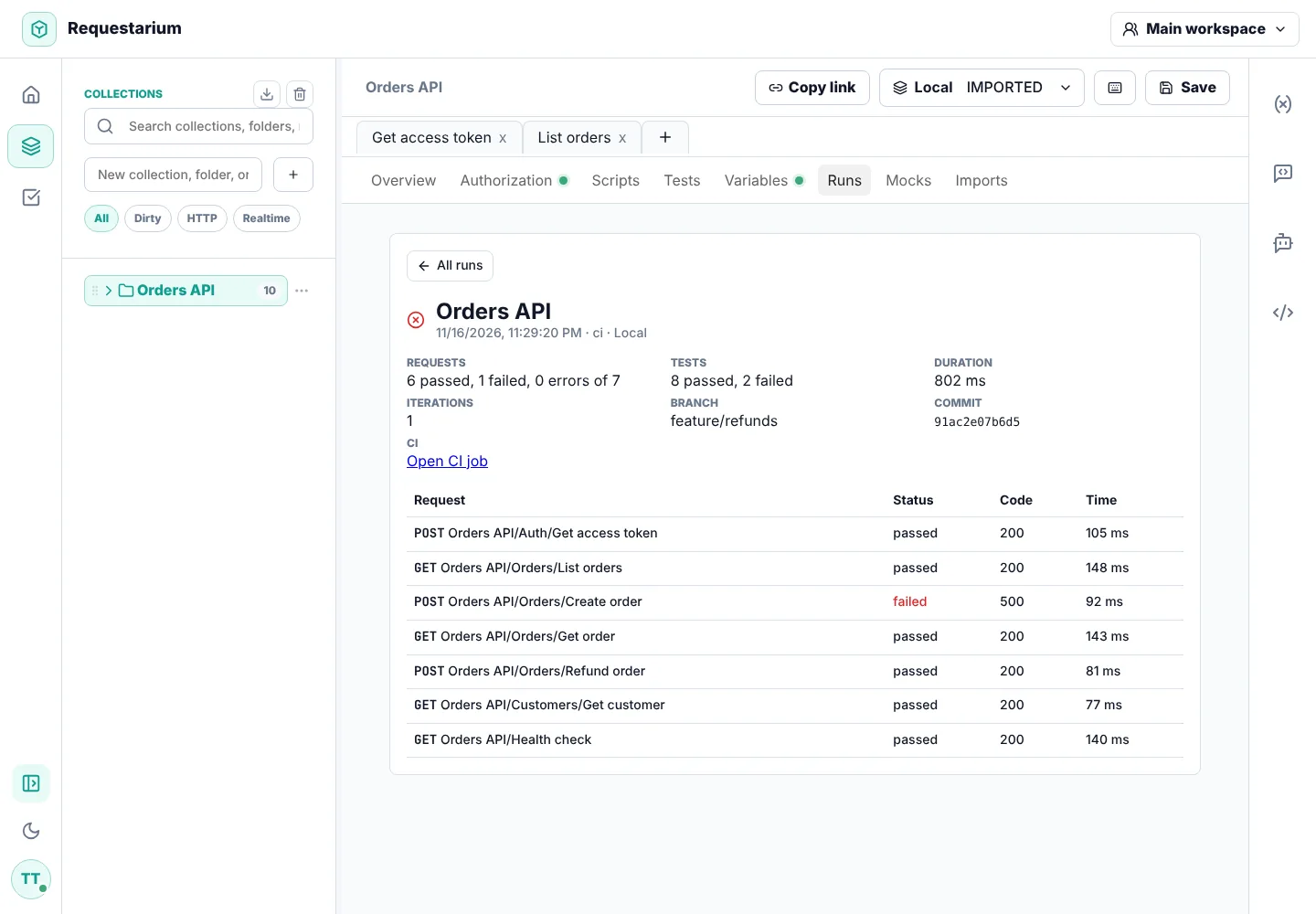
What's recorded
- What ran: the collection (and folder), the environment, passed, failed and errored requests and tests, the duration and the CLI version.
- Where it ran:
ciorcli. In GitHub Actions, GitLab CI, CircleCI, Jenkins, Azure Pipelines and Bitbucket Pipelines, also the branch, the commit and a link to the CI job. Elsewhere, the branch and commit come from the Git checkout in the current directory, if there is one. - Per request: status, timing and test results. Response bodies are kept only for requests that didn't pass, cut to 2,000 characters.
Request headers aren't sent, and secret values are masked as in every report. If a run can't be saved, the CLI says why and still exits with the run's own result, so history never breaks a build.
Read it
In the app, open the collection's run history. From a terminal:
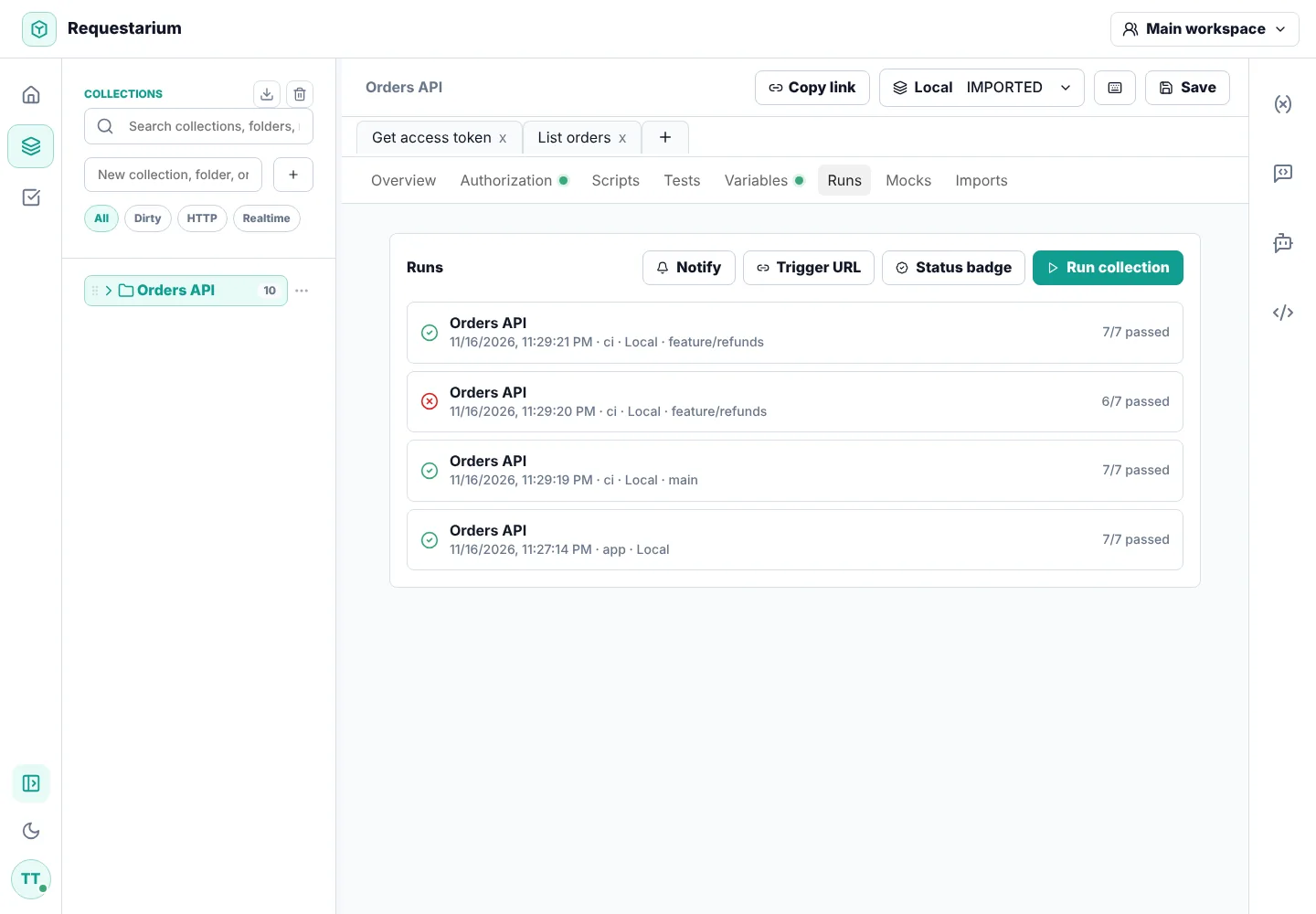
requestarium runs "Orders API"✗ 2026-11-01 10:01:04 Orders API 48/50 passed ci main@d187326 env Staging https://github.com/acme/api/actions/runs/7
✓ 2026-10-31 18:22:40 Orders API 50/50 passed cli feature/login@91ac2e0 env Staging--limit shows up to 100 runs, and --json gives you the data for your own dashboards.
Questions history answers
When did it break? Scroll back to the last green run. The commit next to the first red one is your starting point, and the CI link takes you to its logs.
Flaky or broken? A request that fails on random branches at random times is flaky. One that fails on every run since a specific commit is a regression. See How to deal with flaky API tests.
Does it work on my branch? Developers' local runs (cli) are saved with their branch, so "it passes on my branch, fails on main" is visible without asking.
Is staging the problem? Compare runs of the same commit against different environments.
Is it getting slower? Each run keeps per-request timings, so a gradual slowdown shows up before it crosses your p95 budget.
Link runs to Jira
From a failed run in the app, Create issue opens a Jira form already filled in with the target, environment, branch, commit, CI link and the failed requests. In CI, --jira-on-failure PROJ does it automatically, and comments on the open issue instead of opening duplicates. See File Jira issues when API tests fail.