Organizing API tests into suites, without copying requests

A collection is organized the way an API is: by resource and endpoint. Tests usually need a different shape: "checkout smoke", "everything a release must pass", "the billing regression set". The usual workaround is to copy requests into a second collection, and then the copies drift from the originals.
Requestarium's Tests section solves this with suites that point at requests instead of copying them.
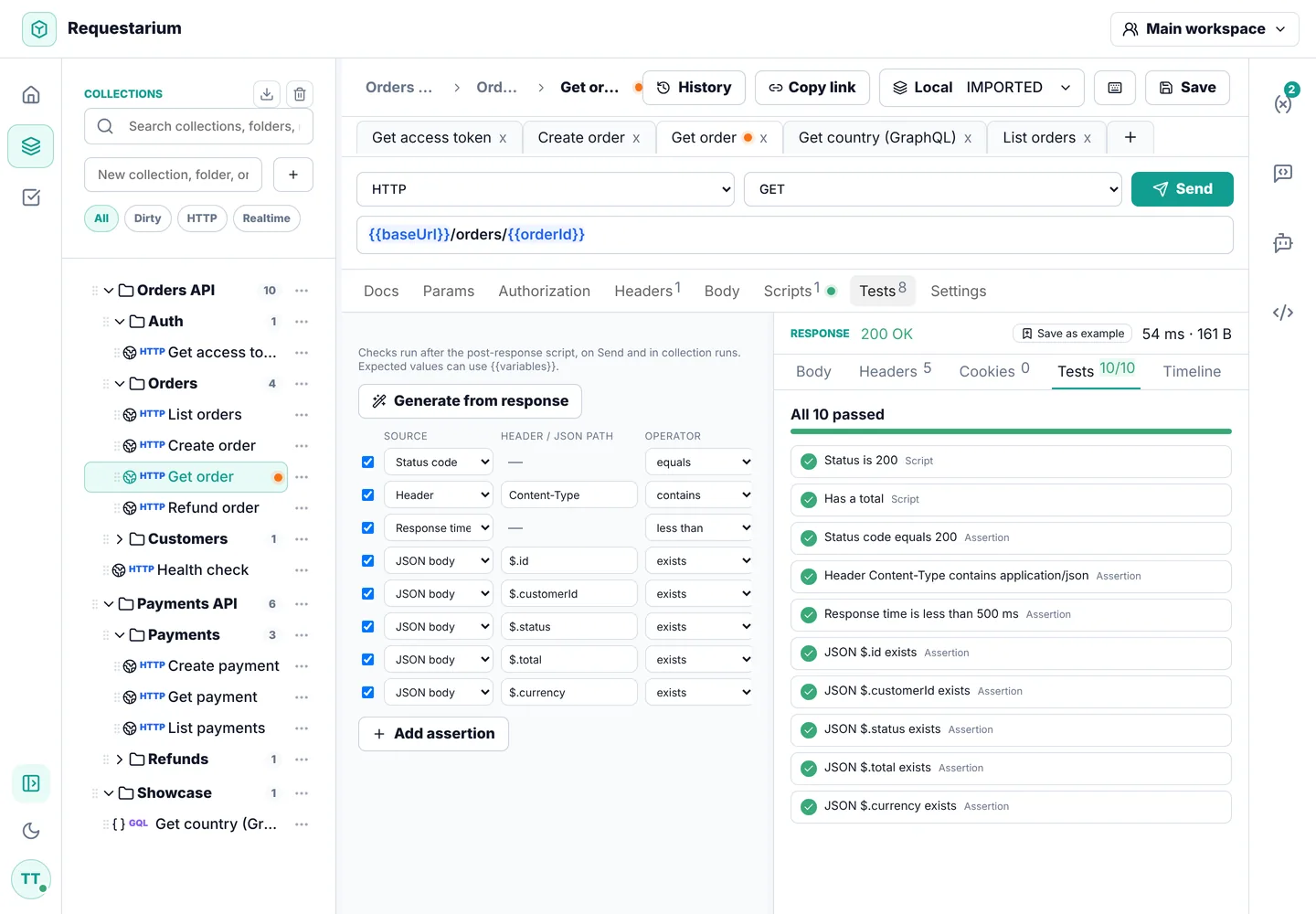
Checks live on the request
First, the checks themselves. Each request's Tests tab holds its assertions (status code, a header, a JSON path, response time) or a pm.test script. Folders and collections can add assertions every request inside inherits. Those checks run everywhere: on Send, in collection runs, in suites and in the CLI. See API assertions without writing code.
A suite is a list of references
Open Tests, create a suite and build it on the Builder tab. Add requests from any collection: drag them onto the canvas, or tick them and press Add to suite. Each request runs with its own collection's variables, auth and scripts. Edit the request in Collections, and every suite that uses it runs the new version.
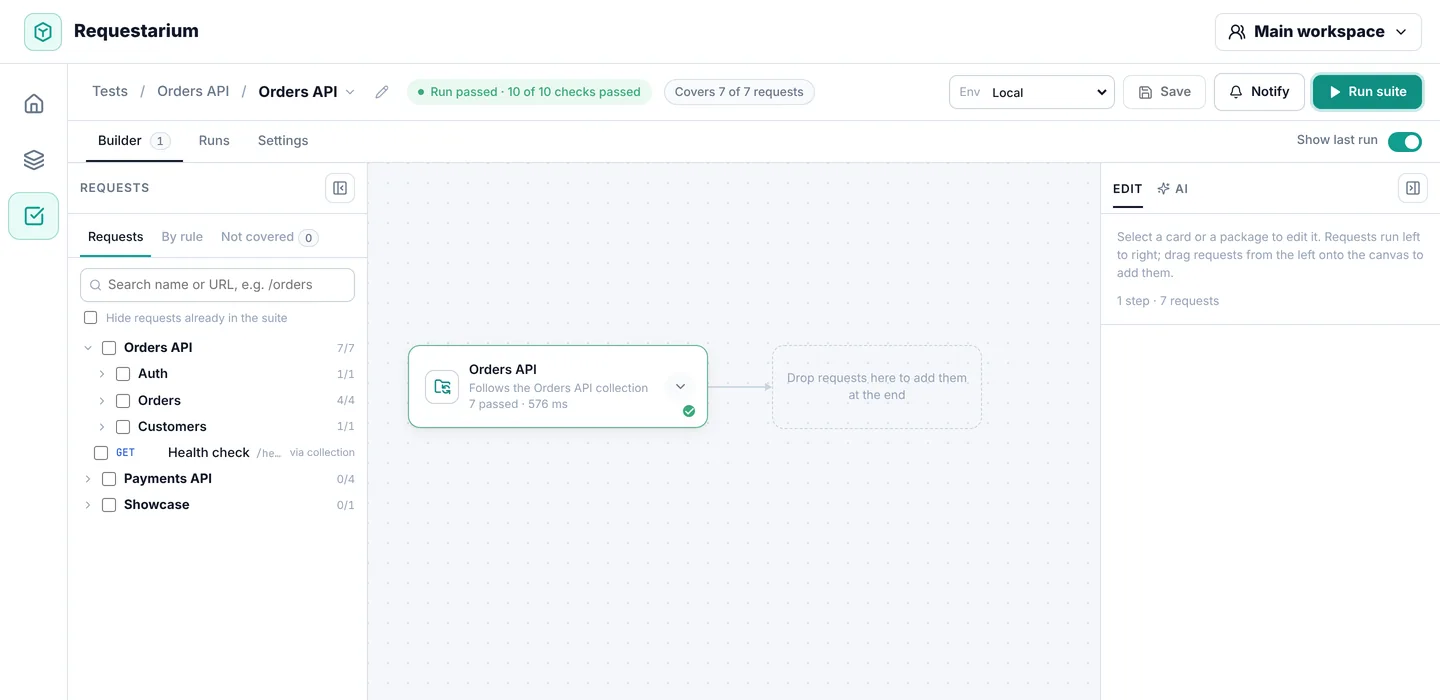
There are three ways to add a group of requests:
- A hand-picked package. Exactly the requests you choose.
- A folder or collection package. Follows its source: requests added to the folder later run too.
- A rule package. Every request in a collection or folder that matches a method, a piece of the URL and a piece of the name, for example every
GETwith/admin/in the URL. The rule is evaluated each run.
Setup and clean-up
Most tests need data first. Give a step the role Setup (log in, create a test account) or Clean up (delete it):
- Setup steps run first. If one fails, the tests aren't run, because their results would mean nothing.
- Clean-up steps run last and always run, even after a failure, so test data doesn't pile up.
- Save to variable on a step stores a value from its response, like
$.access_tokenor theLocationheader, as{{name}}for every later step. If the value is missing, the step fails, so a login without a token stops the suite right there.
Settings per suite
The Settings tab holds the suite's environment, iterations, delay, retries and stop-on-failure. You can also start a suite from a collection's runner with Save as suite.
Run it in CI
The app's Copy CLI command gives you the exact command:
requestarium run --suite "Checkout/Smoke" --env Staging --save-run \
--max-p95 800 --min-pass-rate 98 --junit results.xml- The suite's saved settings are used unless you override them on the command line.
--max-p95and--min-pass-rateadd quality gates.--save-runrecords the run in the suite's history in the app, with branch, commit and CI link. It also shows up in each collection's run history.
Requests, folders or collections that were deleted are skipped with a note, and gRPC and WebSocket requests are skipped in CLI runs.
Plans
Tests are in every plan. The Free plan stores up to 3 suites with up to 30 items each; Pro, Team and Enterprise have no limit. Running suites, anywhere, is never limited.