How to set up API environments for local, staging and production

Every API exists in at least three places: on a developer's laptop, on staging and in production. The requests are the same; the host, the credentials and the test data are not. Environments let one collection work against all of them, and switching is one click.
The model
Requestarium organizes environments in groups:
| Object | Example | Purpose |
|---|---|---|
| Environment group | Payments | One per API or product area. Lists the variable keys its environments should have |
| Environment | Local, Staging, Production | One set of values per stage |
| Variable | baseUrl, apiKey | The same key, a different value in each environment |
| Group | Environment | baseUrl | apiKey |
|---|---|---|---|
| Payments | Local | http://127.0.0.1:8080 | a local test key |
| Payments | Staging | https://payments-staging.example.com | the staging key (secret) |
| Payments | Production | https://payments.example.com | a read-only production key (secret) |
Create them
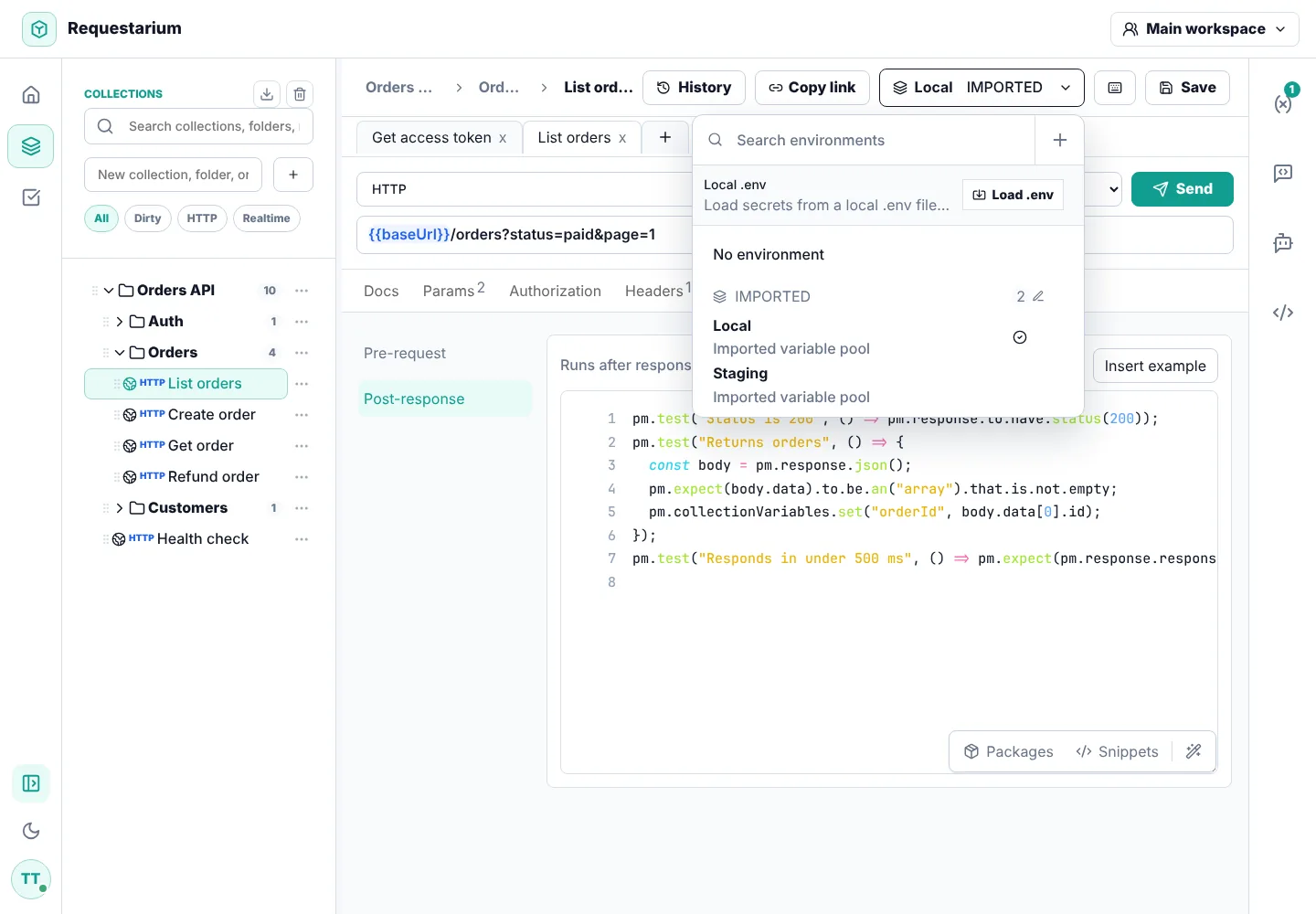
- Open the environment selector in the Collections header.
- Choose create environment, name it
Staging, and pick or create thePaymentsgroup. - Add the keys the group expects:
baseUrl,apiKey,tenantId. Every environment in the group now shows them, so a missing value is obvious. - Fill in the values in the Variables panel. Mark credentials as secret: they're encrypted on the server and masked in the app and in reports.
Or from a terminal:
requestarium env create Staging --group Payments --var baseUrl=https://payments-staging.example.com --secret-var apiKey
requestarium env set Staging apiKey - --secretWrite requests once
POST {{baseUrl}}/v1/payments
Authorization: Bearer {{apiKey}}
X-Tenant: {{tenantId}}
Pick Staging in the selector and send; pick Local and send again. The request's Variables panel shows which value each {{variable}} resolved to, and from where. The selection is remembered per organization and workspace.
Imported environments
You probably have environments already. They come with the import:
- Postman: Migrate from Postman brings environments into a group named "Postman: workspace".
- Insomnia: sub-environments become environments.
- Bruno, Thunder Client, Hoppscotch: environment files import as environments.
- OpenAPI: one environment per server in the spec.
See the migration guides.
Protect production
- Use a read-only key for production. If your API supports scoped keys, the production environment should never hold one that can write.
- Keep production credentials out of shared environments. Load them from a personal
.envfile for the session instead, or fetch them from a secret manager in CI. - Name it loudly.
PRODUCTION (read-only)is harder to pick by accident thanprod. - Run destructive folders only against non-production. In CI, pass
--env Stagingexplicitly rather than relying on a default.
In CI
The CLI picks environments by name:
requestarium run-collection "Payments API" --env StagingOr set it once for a job with REQUESTARIUM_ENVIRONMENT=Staging. --env none runs with collection variables only.
Local overrides without changing the shared environment
Need a different baseUrl just for you, for example a service running on another port? Don't edit the shared Local environment. Load a .env file with baseUrl=http://127.0.0.1:9090 in the app, or pass --var baseUrl=http://127.0.0.1:9090 in the CLI. Your teammates' setup stays as it is.