How to migrate a Bruno collection

Bruno stores every request as a .bru file in a folder on your disk, which is great for Git and less great when half the team doesn't want to open a pull request to change a header. If you want a shared workspace, a CLI for CI and run history, but you'd like to keep the habits Bruno gave you, this guide shows how to bring a Bruno collection across.
What carries over
| Bruno | In Requestarium |
|---|---|
| Folders, HTTP and GraphQL requests | The same folders and requests |
| Auth, variables and bodies | The same settings |
Scripts and tests: bru, req, res, test, expect | Converted to the pm API, or run through a small compatibility layer |
| Asserts | Tests |
environments/*.bru | Environments, in a group named after the collection |
Left out, and listed in the preview: secret values (Bruno keeps them on your computer, so fill them in), .env values, bru.runRequest and bru.sendRequest, digest, NTLM and OAuth 2.0 auth, and gRPC and WebSocket requests.
From the app: zip the folder
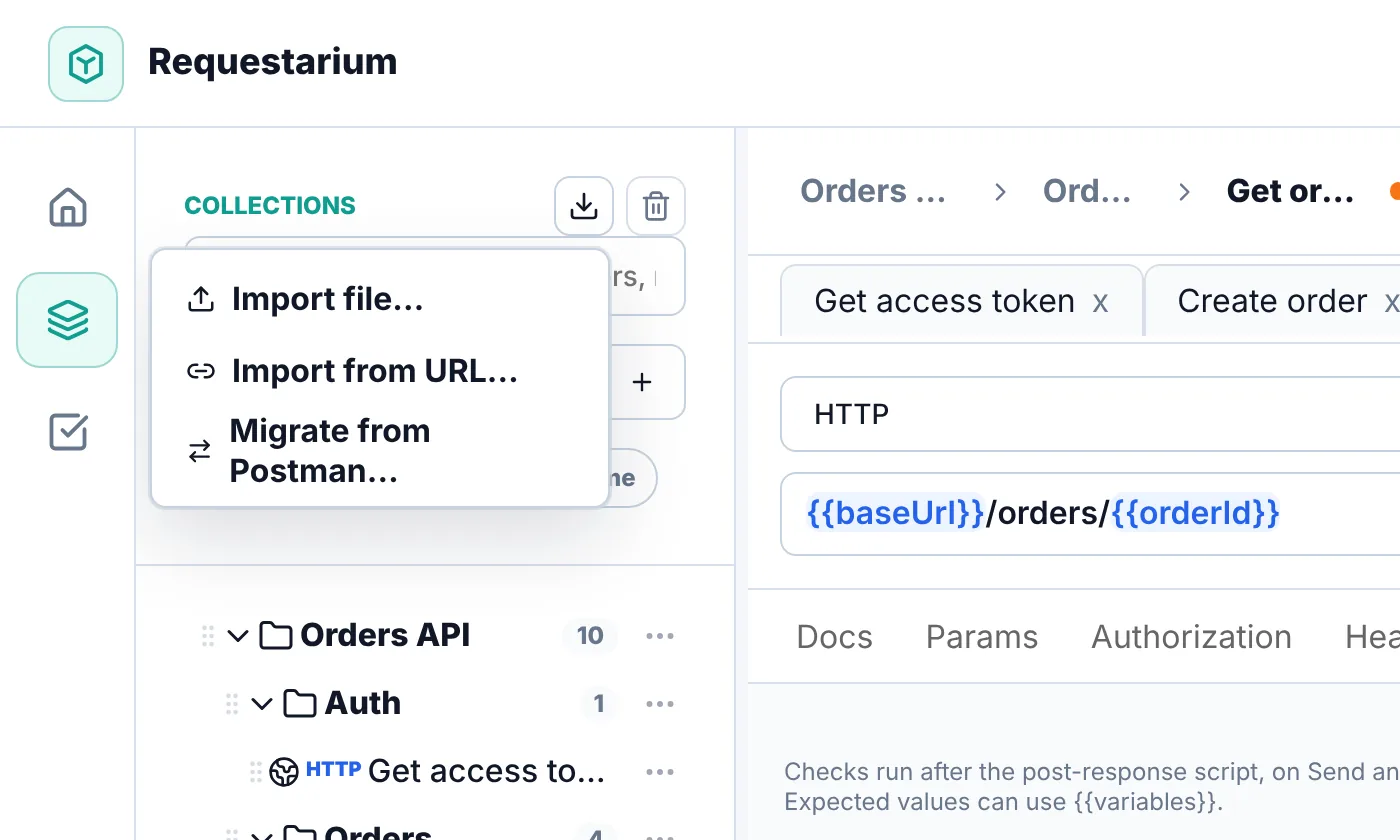
A Bruno collection is a folder, so the app imports it as a .zip. Zip the collection folder and use Import → Import file… in the Collections sidebar. If the collection lives on GitHub, you don't even need to download it: paste the repository's Code → Download ZIP link into Import from URL.
Single .bru files import too, if you only want a few requests.
From the CLI: point at the folder
The CLI reads the folder directly. It only looks at .bru, .json and .env files and skips node_modules and .git:
npm install -g @requestarium/cli
requestarium login
requestarium import ./payments-api --environments --dry-run
requestarium import ./payments-api --environments
--environments turns each file in environments/ into a Requestarium environment.
How scripts convert
Bruno's script API maps closely onto the Postman-style pm API. For example:
// Bruno
bru.setEnvVar('token', res.getBody().token);
test('status is 200', () => {
  expect(res.getStatus()).to.equal(200);
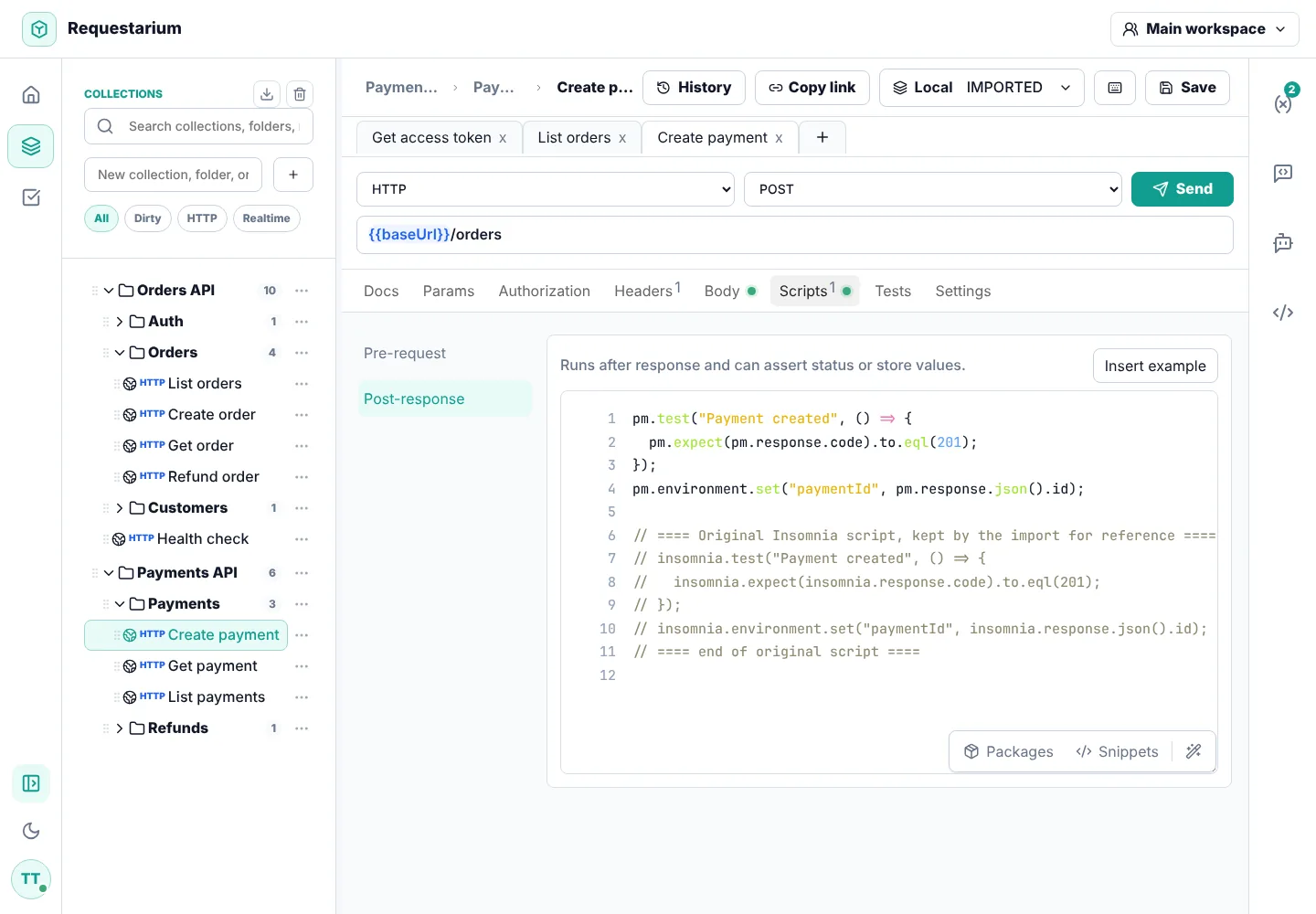
});bru.setVar, bru.getVar, bru.setEnvVar, req.getUrl, req.setUrl, req.getHeader, req.setHeader, res.getStatus, res.getHeader, res.getBody, test and expect are converted. A few others, such as req.setMethod and res.getHeaders, run through a compatibility layer. Calls that need things Requestarium doesn't have (bru.runRequest, bru.sendRequest, bru.getProcessEnv, require()) are listed in the preview's Scripts section. Every converted script keeps its original as a comment at the end, and you can download a report of the conversion.
Secrets: keep them local, like before
Bruno's secret values never leave your machine, so they can't be in the export. You have two options in Requestarium:
- Shared secrets: set them as secret variables in the environment. They are encrypted on the server and masked in the app and in reports.
- Personal secrets: keep using a
.envfile. In the app, click Load .env in the environment selector; the values are used for this session only and never synced. In the CLI, pass--env-file .env.
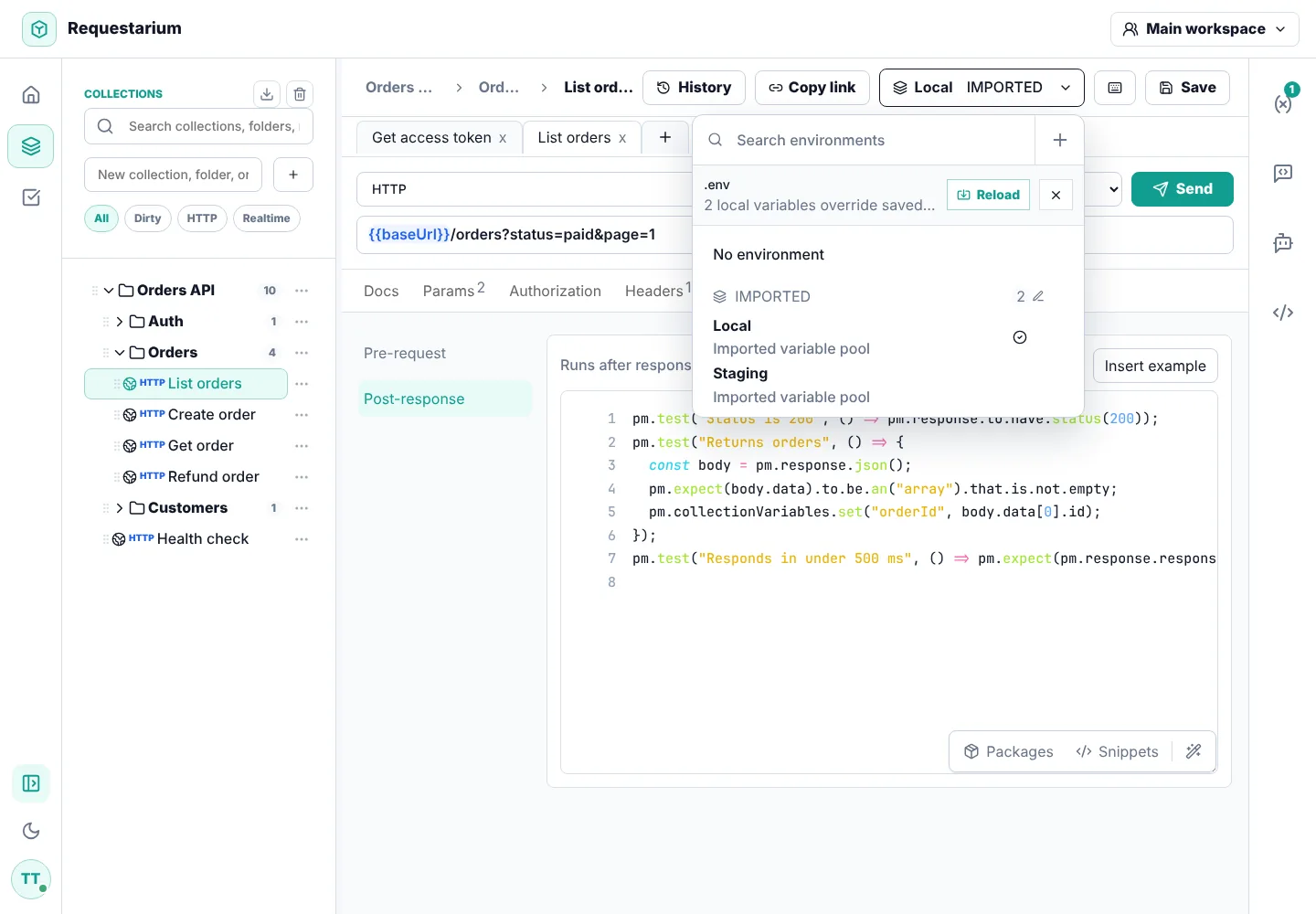
The second option is the closest to how Bruno works. Details in Keeping API keys out of your collections.
Run it
requestarium run-collection "Payments API" --env LocalAsserts are now tests, so the run reports them as passed or failed, in the terminal and in CI.
Still want files in Git?
You can export a collection back to Bruno format at any time (Export as…, Bruno), and Requestarium can sync a collection with a Git repository on every plan, as plain YAML files, one per request. You don't have to choose between a shared workspace and versioned files.