How to migrate from Thunder Client

Thunder Client made API testing inside VS Code feel light, and for one developer it still does. The friction starts when a second person needs the same requests, when collections have to run in CI, or when you want them outside the editor. This guide moves a Thunder Client setup to Requestarium without retyping anything.
What carries over
| Thunder Client | In Requestarium |
|---|---|
| Collections and folders | Collections and folders |
| Requests with path and query parameters | The same requests |
| JSON, XML, text, form and GraphQL bodies | The same bodies |
| Basic, bearer, OAuth 2.0 and AWS auth on requests, folders and the collection | The same auth, inherited the same way |
| Environment files | Environments |
| Common tests: status, body, header and JSON-query checks, "set env var" | pm.test scripts |
Pre-run requests, shared headers, file bodies and NTLM auth don't come over. The import preview lists each one next to the request it belongs to, so you can recreate what you still need.
Step 1: Export from Thunder Client
In VS Code, open Thunder Client, go to Collections, open a collection's menu and choose Export. You get a file named like thunder-collection_Orders API.json. Do the same from the Env tab for each environment: thunder-environment_Staging.json.
Step 2: Import the collection
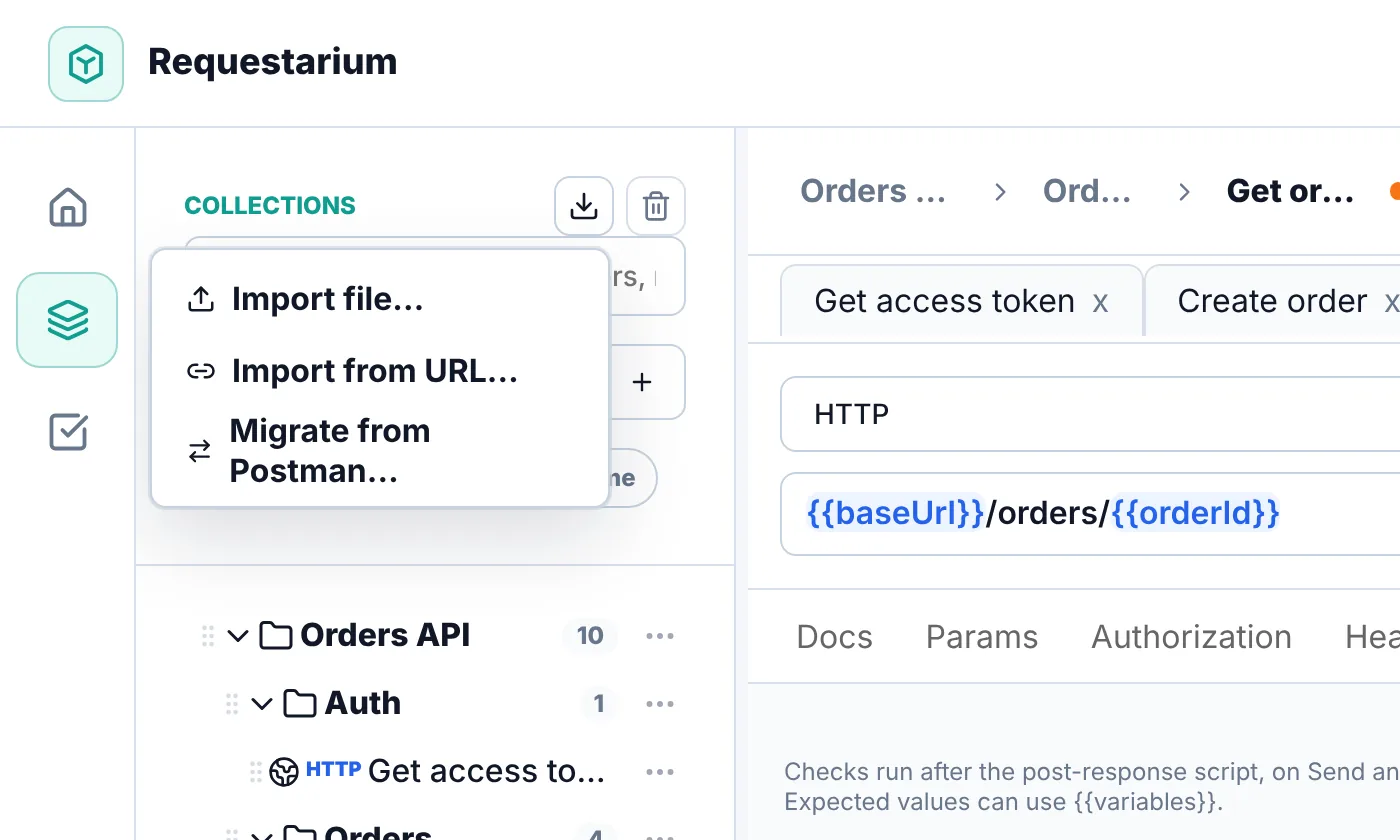
In Requestarium, click Import at the top of the Collections sidebar and choose Import file…. The format is detected from the file. The preview shows the folders and requests, lets you untick what you don't need, and, if the file holds credentials, offers to move them into secret environment variables.
Step 3: Import the environments
Import each environment file the same way, or with the CLI:
npm install -g @requestarium/cli
requestarium login
requestarium import "thunder-environment_Staging.json" --environments-only --name "Orders API"
--name is the environment group the environments go into. Put all stages of one API in the same group.
Step 4: Check your tests
Thunder Client tests are a list of checks, not code. Requestarium converts the common ones into scripts, so a "ResponseCode equal 200" check becomes:
pm.test('ResponseCode equal 200', () => {
  pm.expect(pm.response.code).to.equal(200);
});Secret managers keep working
If your Thunder Client environments pull secrets from AWS Secrets Manager or Azure Key Vault with TC_AWS_SECRET_NAME, TC_AWS_REGION or TC_AZURE_VAULT_URL, the Requestarium CLI reads those same variables. Environments brought over keep fetching their secrets when you run them from the CLI. More in Keeping API keys out of your collections.
Run the collection
From the collection's Runs tab, or from a terminal:
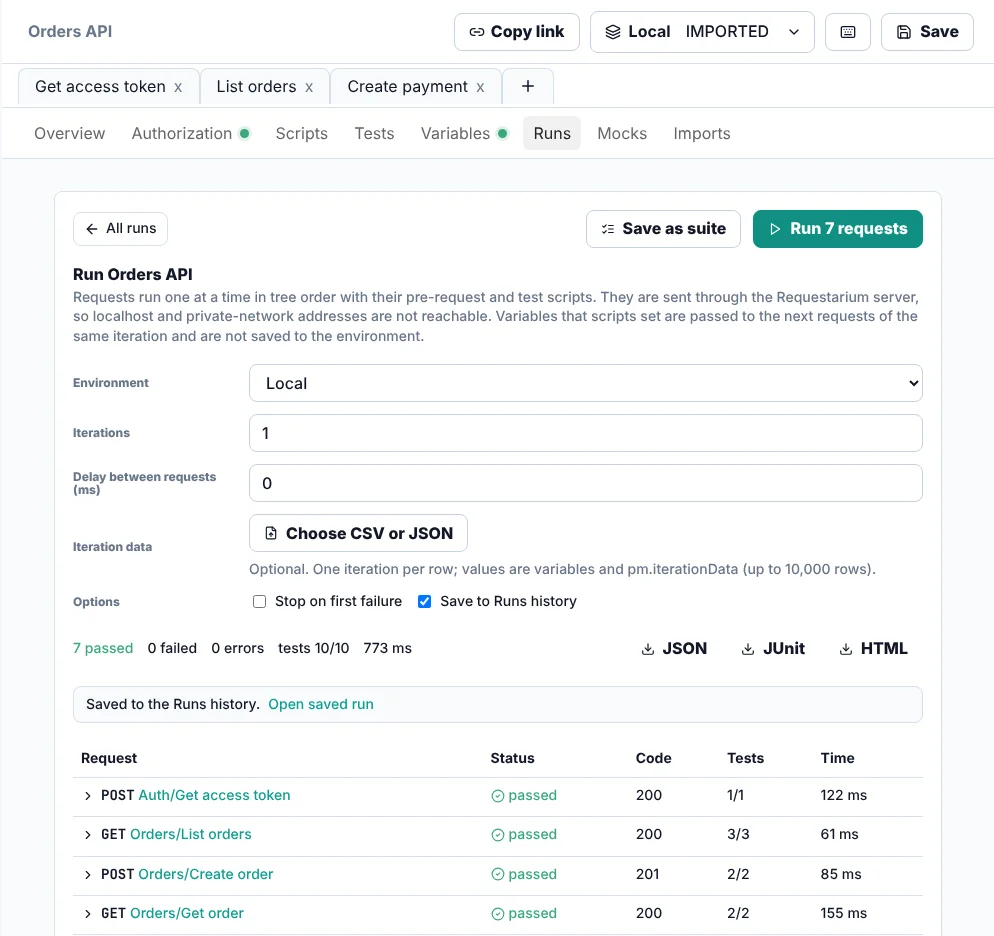
requestarium run-collection "Orders API" --env StagingThe same command works in CI. See How to run API tests in GitHub Actions.
Going back is always possible
Requestarium also exports to Thunder Client format: right-click a collection, choose Export as… and pick Thunder Client. Folders, HTTP and GraphQL requests and auth come along. Your data is never locked in.
The Free plan covers 3 collections, 3 environments and 3 team members. See pricing.