What is API testing? A practical guide for developers

An API test sends a real request to your API and checks the response: the status code, the headers, the body and how long it took. No browser, no clicking, no screenshots. Just "when I send this, do I get that?"
That simplicity is why API tests are usually the best value in a test suite. They run in milliseconds, they don't break when someone moves a button, and they test the contract your frontend, mobile app and partners actually depend on.
What API tests catch
Most API bugs fall into a few groups, and each one has a matching check:
| Bug | What the test checks |
|---|---|
| The endpoint crashes | Status code is not 5xx |
| A field was renamed or removed | The body has the fields clients use |
A field changed type ("42" instead of 42) | Field types, or a JSON schema |
| Wrong data comes back | Specific values, such as the right user's ID |
| Someone can read data that isn't theirs | A request with another user's token gets 403 or 404 |
| It got slow | Response time is under a budget |
UI tests can catch some of these, but slowly and indirectly. An API test catches them at the source, with an error message that says exactly what broke.
Your first API test
Take one request you already send by hand, for example GET /orders. Send it, look at the response, and write down what must be true:
pm.test('returns 200', () => {
  pm.response.to.have.status(200);
});

pm.test('returns a list of orders', () => {
  const body = pm.response.json();
  pm.expect(body.data).to.be.an('array');
});

pm.test('responds in under 500 ms', () => {
  pm.expect(pm.response.responseTime).to.be.below(500);
});
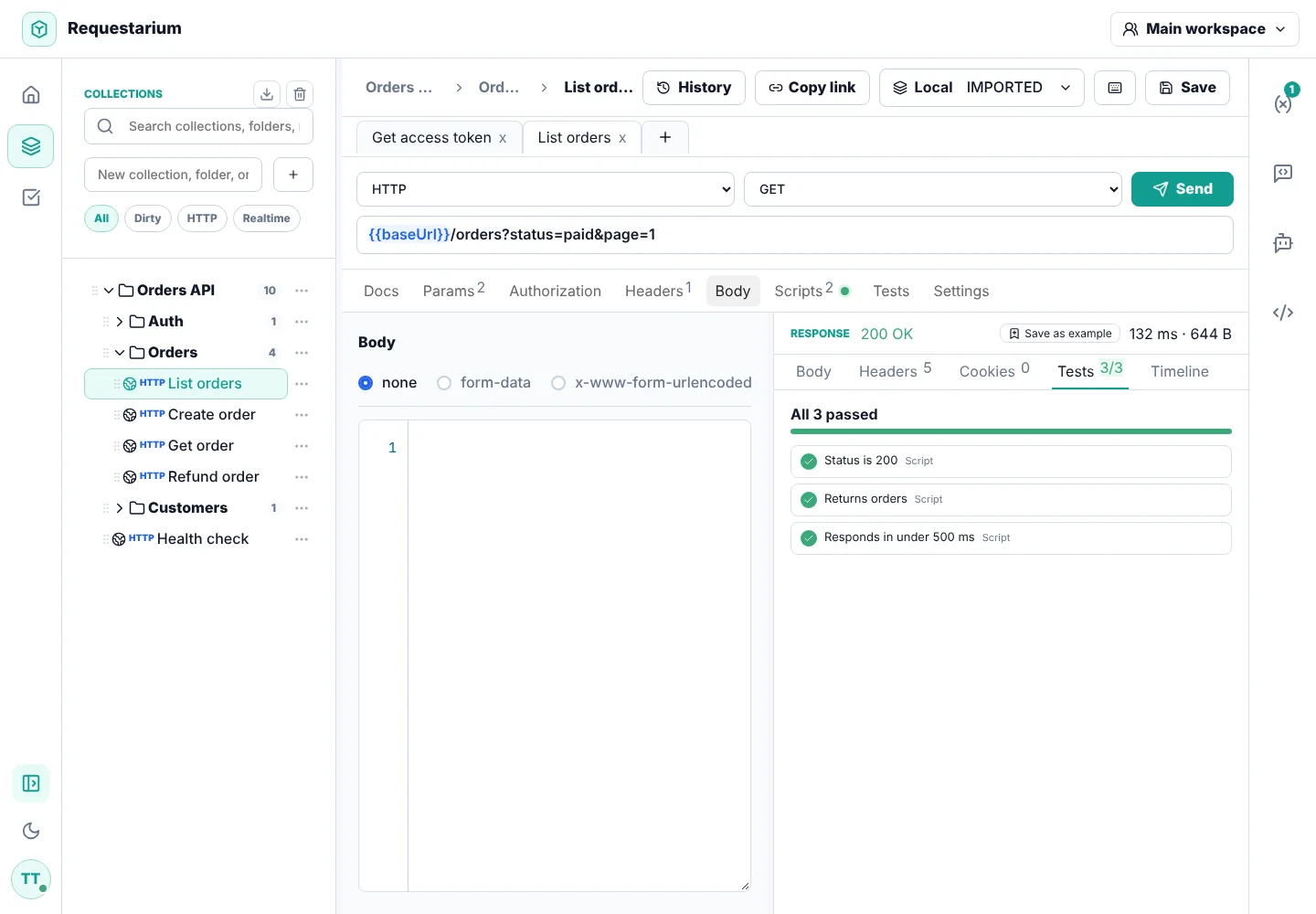
In Requestarium, that script goes in the request's Scripts tab as a post-response script. Every time you click Send, the tests run and the results show next to the response.
The four kinds of checks
- Status. The quickest signal. Check the exact code you expect (
201for a create, not "any 2xx"). - Shape. The fields exist and have the right types. A JSON schema checks a whole response in one go.
- Values. The things that matter for this request: the ID you asked for, the total you expect, the status after an update.
- Speed. A response-time budget. Slow is a bug too, just a quieter one.
Test the unhappy paths
The happy path is the one you test by hand anyway. The bugs live elsewhere. For each important endpoint, add a few requests that should fail, and check that they fail properly:
- no token, or an expired one →
401; - another user's resource →
403or404; - missing or invalid fields →
400or422with a useful error; - an ID that doesn't exist →
404.
Negative testing for APIs goes through these in detail, and data-driven tests let one request cover many inputs.
From one request to a suite
A single test is useful. A collection of them is a safety net:
- Group requests into a collection, in the order a user would call them: log in, create, read, update, delete.
- Pass values between requests. The login stores a token; the create stores an ID for the next requests. See How to chain API requests.
- Use environments so the same collection runs against local, staging and production. See How to set up API environments.
- Run the whole collection from its Runs tab, or from a terminal:
requestarium run-collection "Orders API" --env Staging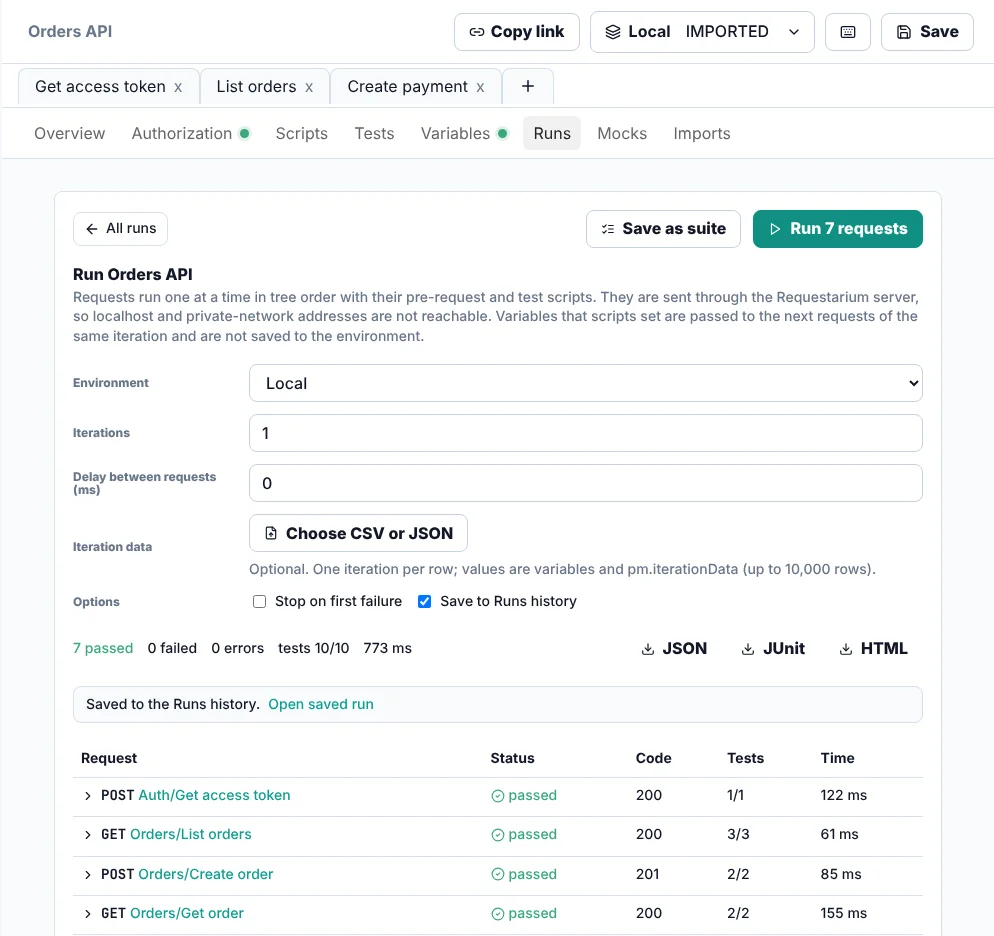
Run it on every change
Tests nobody runs don't protect anything. The CLI exits with a non-zero code when a test fails, so any CI system can use it as a gate:
requestarium run-collection "Orders API" --env Staging --junit results.xmlReady-made setups: GitHub Actions, GitLab CI, Jenkins.
Where to start
Don't try to test everything at once. Pick the five requests that would hurt most if they broke (login, checkout, whatever pays the bills), give each one a status check and a shape check, and run them in CI. Add a test every time a bug gets through. In a few months you'll have the suite you wish you had started with.